
Everything in the plan, in real detail.
No tiers and no add-ons: every business gets all of this. The screens are from the app itself, on a demo salon.
Your booking page, on our address or your own domain.
Clients choose a location, a service, a provider and a time, then leave their details. Every step shows a summary of what they've picked so far.
- Your look: logo, a wide cover photo, your brand color (used in emails too), a tagline, an About section, Instagram and website links, and the preview image people see when the link is shared in a text, on Instagram or on Google.
- Services with photos, grouped in categories that can nest (Lashes › Volume › Mega), with a search box when the menu is long. Each service can show "from $X" when providers charge differently.
- Provider cards with photo, title, rating and review count, next opening, their own price and time, and up to three work photos. Sort by recommended, soonest or lowest price. A short bio on each one.
- Provider first or time first: you choose the order of steps. Clients pick a stylist and then a time, or a day and time and then see who is free.
- Booking limits: minimum notice before a slot can be booked, how many days ahead clients may book, and the slot interval on the time grid.
- "Any available provider" is your rule: show who's free and let the client choose, or give it to the first in your order, the lowest price, or whoever has the fewest bookings that day.
- Deposits: nothing, a flat amount, a percent of the price, or the full price at booking. The deposit comes off the bill at checkout and is refunded automatically when a client cancels inside your window. Returned deposits go back to the card or, if you prefer, become store credit. When the desk cancels a visit with a paid deposit, staff choose: keep it, keep only the late fee and refund the rest, or refund it all. Or save a card on file without charging it.
- Your policy, up front: the free-cancellation window and late fee are shown before a time is picked, and the client's agreement is recorded with the booking.
- Waitlist on full days, standing appointments every 1 to 12 weeks, and more services back to back with the same stylist. When an added service doesn't fit the chosen time, the page offers the times that day when the whole visit does.
- Classes with a seat count and per-seat price, booked online with a deposit. A roster to add or remove people, a "class full" guard, and cancelling a class refunds every seat's deposit and tells each client.
- Photos on booking: clients attach up to five pictures of the look they want or their current set. They land on the appointment, in the Gallery and in the new-booking alert.
- Client accounts: sign in with a code by text or email, see upcoming and past visits, rebook in one tap, manage saved cards, see points, and "Book with your last stylist again". They update their own contact details and birthday, and choose separately whether to get reminders and offers by text and by email.
- Self-service reschedule and cancel within your rules, with the deadline, deposit refund and late fee stated before they confirm. The confirmation page adds the visit to Google, Apple or Outlook calendars.
- Gift cards sold online and emailed when paid. Online store for products with pickup or flat-rate shipping, with stock held while someone checks out.
- Embed the booking steps on any page of your website with one line, or a Book now button that opens them in a pop-up. Preset a service, provider or location per snippet. One link and QR code per location.
- Custom domain: book.yoursalon.com, verified by a DNS record so nobody can claim yours. A bot check protects every public form.
Booking and embed pages end with a small "Powered by Angelic Booking" line in text.
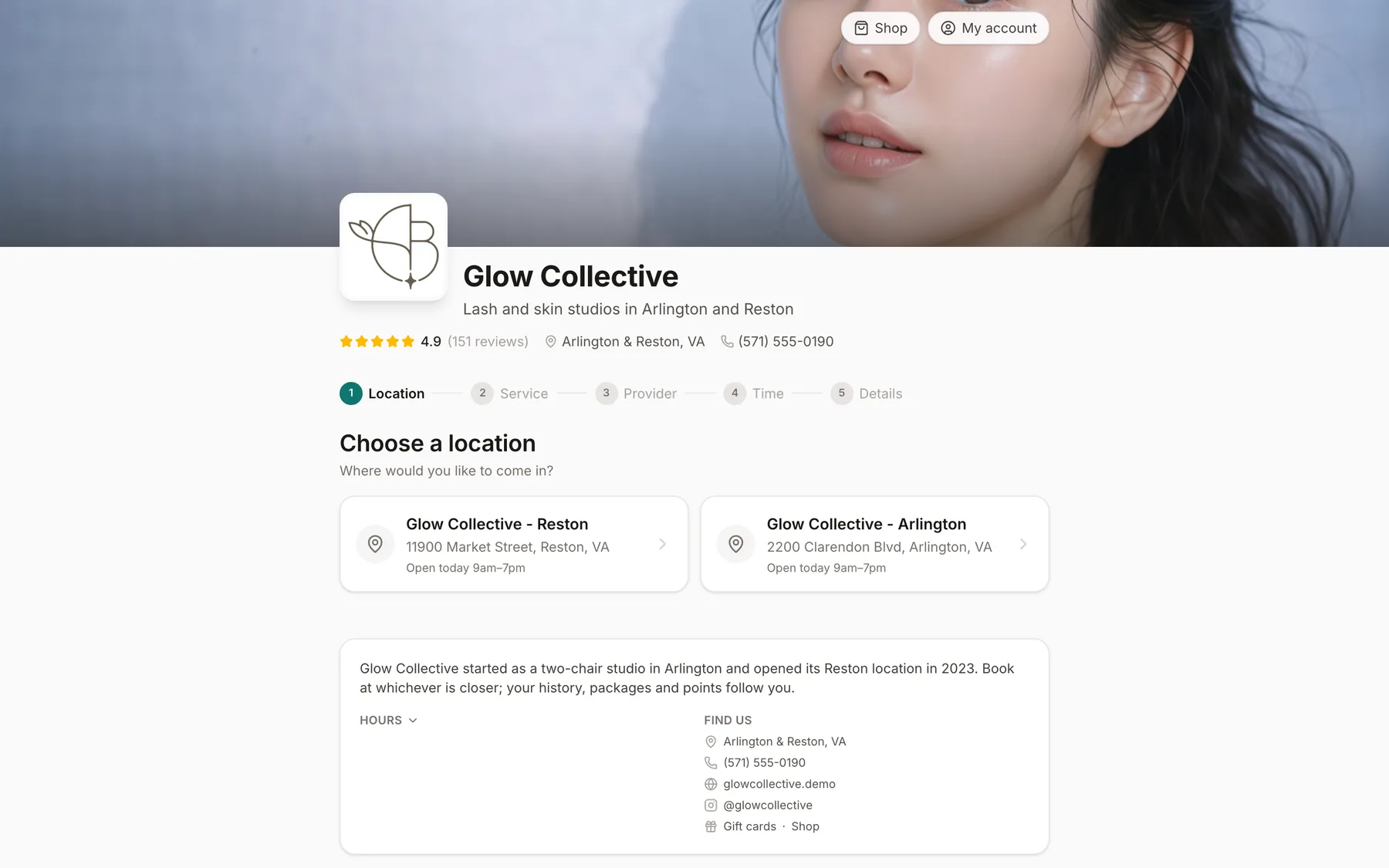
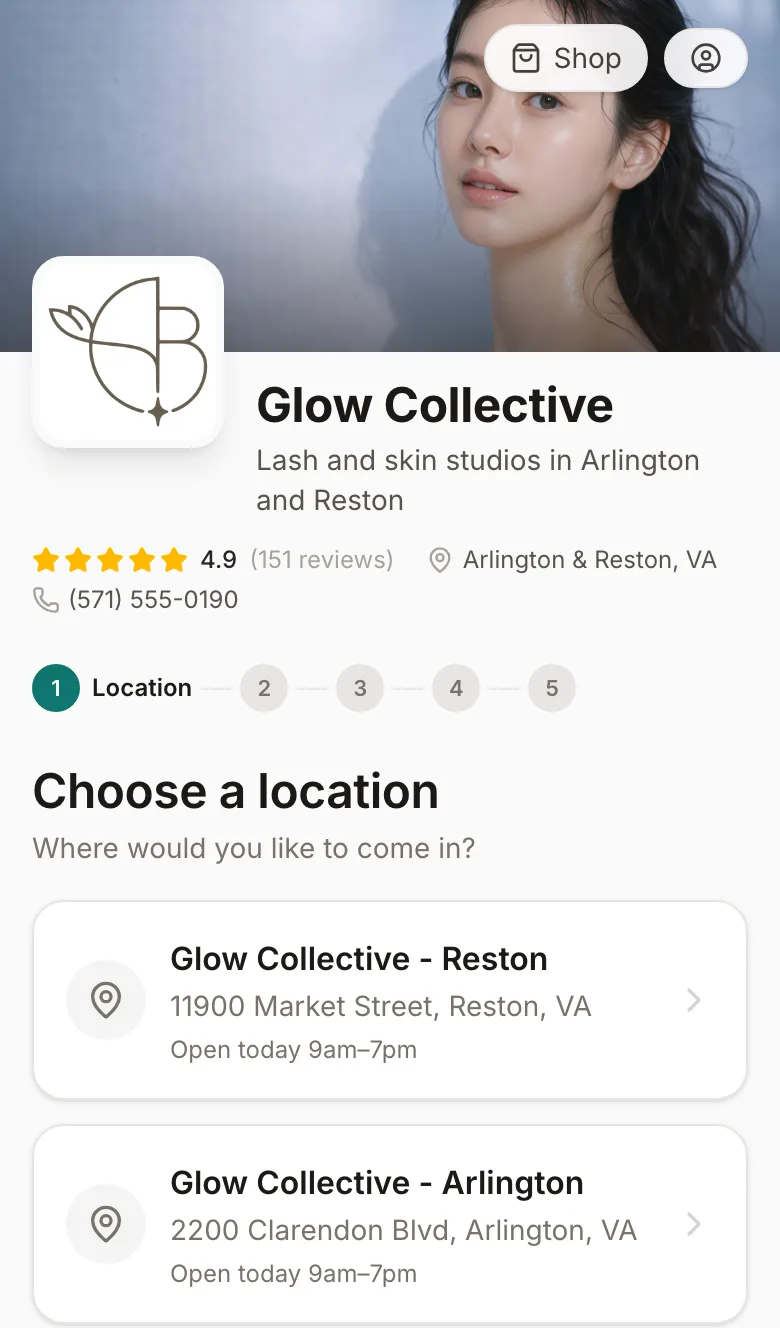
Fast for the desk, readable for the owner.
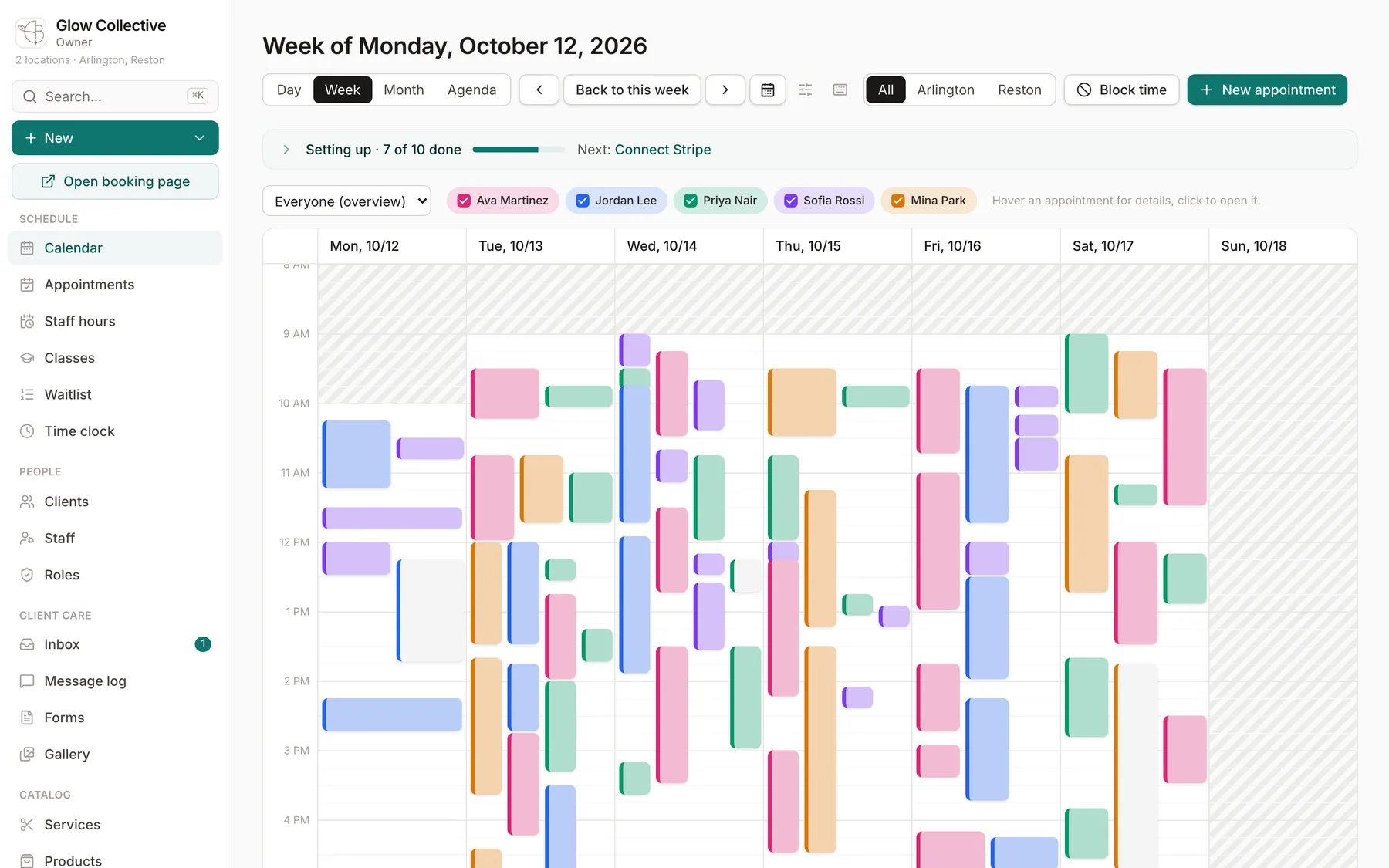
Day, week, month and agenda views, with the same header and shortcuts everywhere. The week opens as an everyone overview; pick one person to see their week in detail.
- Processing time: a service can have processing, finishing and clean-up time. While color develops, the stylist can take another client in that gap; clean-up time keeps the chair blocked afterwards.
- The day at a glance: a strip above the grid with expected revenue, how many are checked out, no-shows, who's next and forms still due. Hover any appointment for its details.
- Drag to move a visit, resize either end, and undo. Dropping a visit asks "Move and tell the client" or "Move quietly". Press and hold to drag on a tablet.
- Quick create: click an empty slot or draw a range and a small popover books it (client, service, provider, time, confirmation). A Block time tab reserves lunch or "do not book". The full booking form has Next opening, Same as last visit, times grouped by morning, afternoon and evening, a by-stylist view, Walk-in, and Rebook.
- Detail panel on click: client and phone, every service with who and when, total, deposit, forms due, notes, then Confirm → Check in → Start → Complete, and Check out, without leaving the grid.
- Keyboard shortcuts like Google Calendar: t today, ← → move, d w m views, c new appointment, / search, g pick a date, ? the list.
- Color by provider or by service category, with each stylist's own color, compact to roomy hour height, show or hide providers, jump to any date, print a clean day or week.
- Multi-provider visits are linked: a cut with one person and color with another draws one card per column, and opening either lights up the whole visit. Multi-service visits move as one.
- Guardrails: working hours are hatched, a drop outside someone's hours or onto someone who doesn't do the service is refused with a plain message, and deliberate double-booking is allowed only to roles you choose.
- Search (⌘K) finds clients, their upcoming visits, services and pages. Location pills filter everything and are remembered.
- Calendar feeds: each staff member gets a private link to subscribe in Google Calendar, Apple Calendar or Outlook.
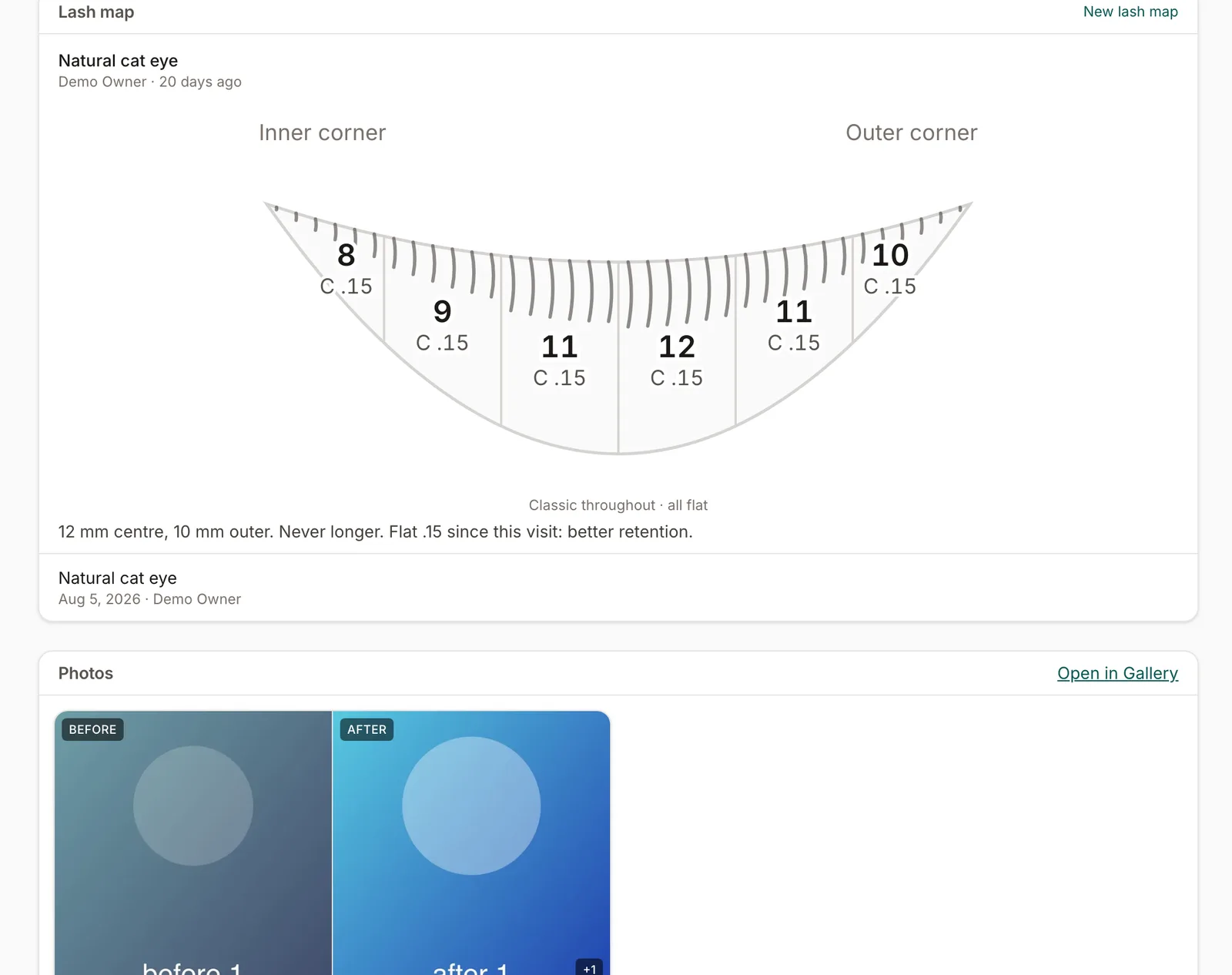
Everything about a client on one page, and every text in one inbox.
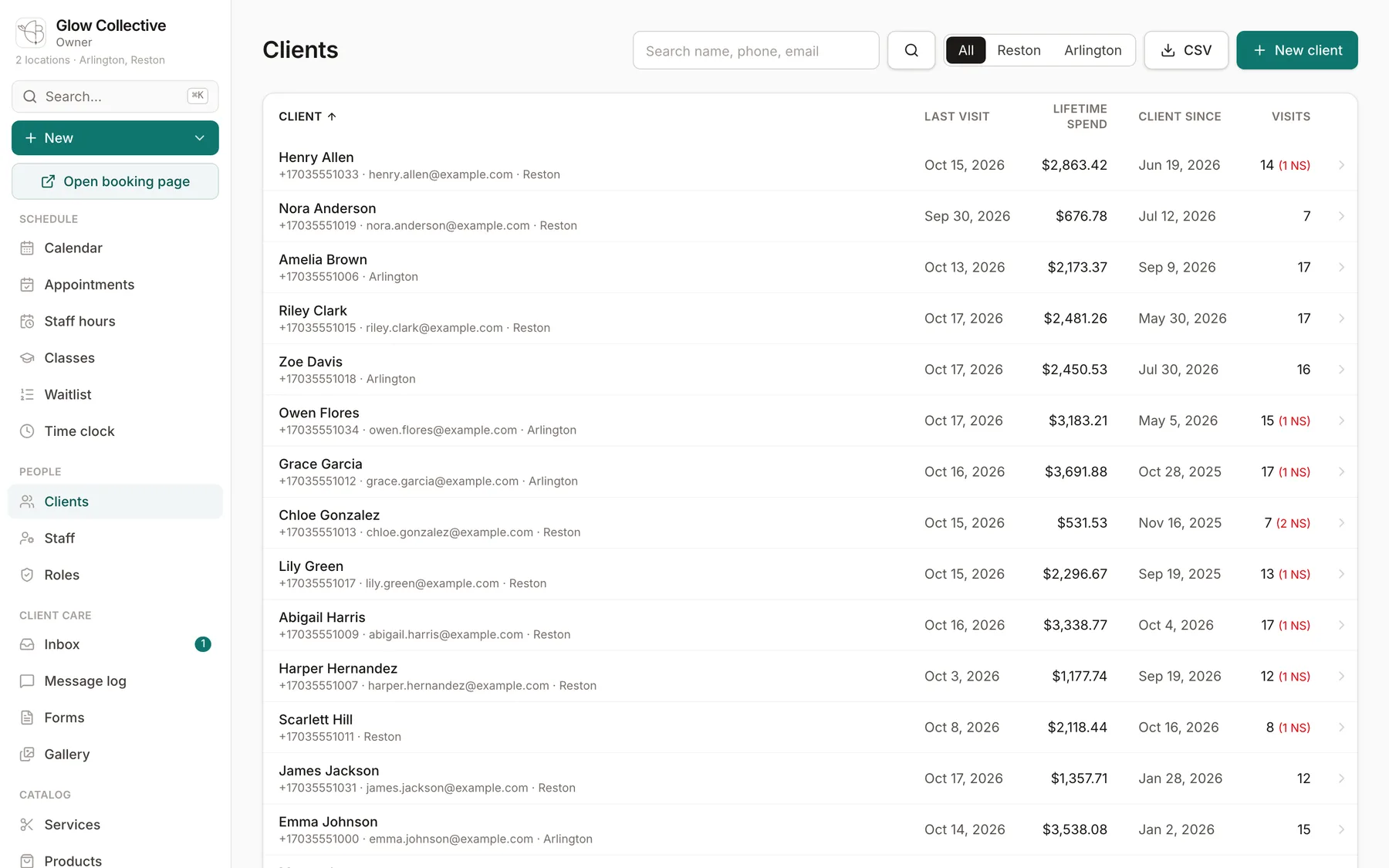
The client page opens with the facts the desk needs: client since, visits and no-shows, what they spend, their next or last visit, and their usual service, stylist and gap between visits.
- Notes and formulas, pinned notes, allergies and preferences, kept private to roles you choose.
- Lash maps: an eye diagram with zones for length, curl, thickness and type (classic, handmade or premade fans, hybrid), spikes, color, shape, a separate right eye, and a new map per visit built from the last one.
- Before and after photos on every visit, with a Gallery you can filter by service, stylist, tag and client.
- Signed forms, saved cards, packages and sessions left, memberships, store credit, loyalty points and the client's referral code.
- History as one timeline: visits with their ticket, retail purchases, ratings and comments.
- Texting inbox on your own dedicated number, with one per location if you want. Unread first, a "needs reply" filter, the client's next visit beside each thread, quick replies that fill in their name, appointment and stylist, picture texts, and delivery status in plain words.
- Message log: every confirmation, reminder, campaign and automation message that went out, whether it arrived, and Send again on anything that failed. The owner gets an email when a client's text sits unread.
- Consent handled properly: appointment texts and marketing texts are separate opt-ins, STOP and START are automatic, and nothing can turn a stopped number back on.
- Import and export clients as CSV or Excel with a column map; duplicate warnings when a name, phone or email already exists.
Your own Stripe account. 0% platform fee.
Connect your Stripe account once. Card payments go straight to your Stripe balance at Stripe's standard rate, and we take nothing on top. Cash, check and other methods are recorded on the ticket for reports and payroll.
- The ticket: services, products (search or scan a barcode), gift cards, packages and memberships, each with a deliberate "who gets credit" so commission is never guessed. Edit any line's price, quantity or credit.
- Tips with 15, 20 and 25% presets, split between people, marked cash or card, and added after a ticket is paid.
- Discounts by amount, percent or promo code; member pricing applied automatically; tax exempt per ticket.
- Pay by saved card, typed card, cash with change due, gift card, store credit or points, in any combination.
- Refunds of a whole ticket or chosen items, to the original payment or as store credit, always with a reason. Payroll takes the money back from whoever was credited, on the day of the refund. Refunded products go back on the shelf, item by item. You keep the list of refund and cancellation reasons.
- Deposits, no-show and late-cancel fees: flat or a percent of the booked services, a paid deposit can count toward the fee, the rest goes to the saved card.
- Packages with sessions and expiry. Memberships billed every so many weeks, months or years, auto-renewed on a saved card, with rollover, fixed-length plans, freezes and a member discount on other services.
- Gift cards at the desk or online, valid at the locations you choose. Store orders authorize the card and capture only when the stock is confirmed.
- Receipts by email, text or print, with your footer. A full history on every ticket of who rang it up, paid it and refunded it.
Card readers and tap to pay are not offered yet; see what we don't have yet.
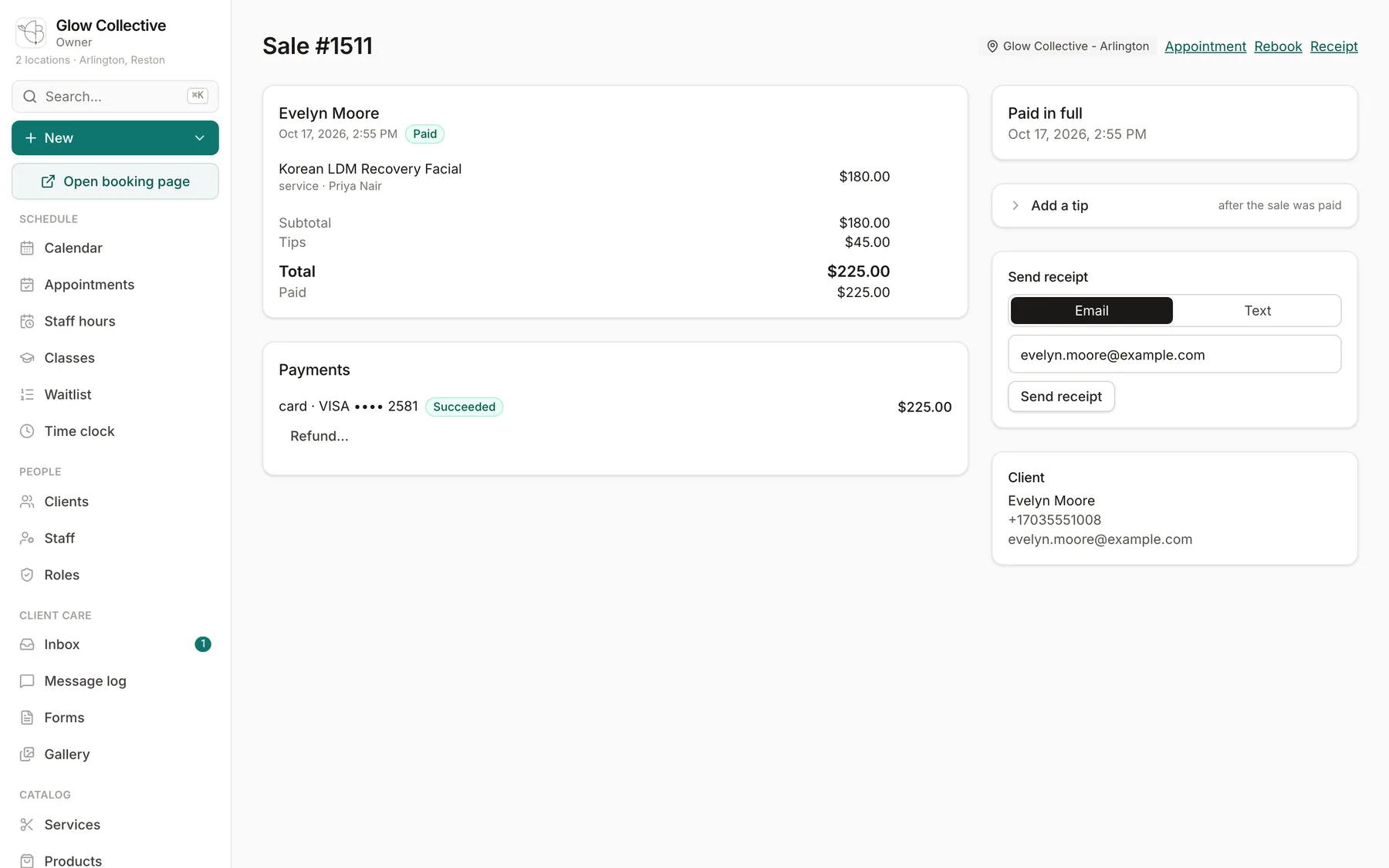
Messages that run themselves, with the rules built in.
An automation starts on an event, checks a few conditions, then runs steps in order. Every business starts with a ready-made set; edit them or add your own.
- Ready to go: reminder, aftercare, rating request, rebook nudge, no-show follow-up, welcome, birthday, we-miss-you, refer a friend, membership payment failed, low-rating alert and new-online-booking alert. Confirmations are built in, and each service's prep notes ride along on the confirmation and the reminder.
- Triggers: booked, booked online, completed, cancelled, no-show, new client, form submitted, review received, membership payment failed, birthday, no visit for N days.
- Steps: wait (a delay, or before or after the visit), text, email, rating request, tag the client, award points, notify the owner or the provider.
- Filters: service category, service, provider, location, tag, rating range, first visit only.
- Guardrails you don't have to think about: each message checks the right consent, marketing texts wait for 9 am to 8 pm in the client's time zone, STOP is honored right up to the moment of sending, one message per occasion, rebook nudges stop when the client books, and everything re-times when a visit moves and is dropped when it's cancelled.
- Safe on day one: "We miss you" only reaches the clients who crossed the line this week, so importing years of history never texts everyone at once.
- A run log on every automation explains what each step did and why, with 30-day send counts.
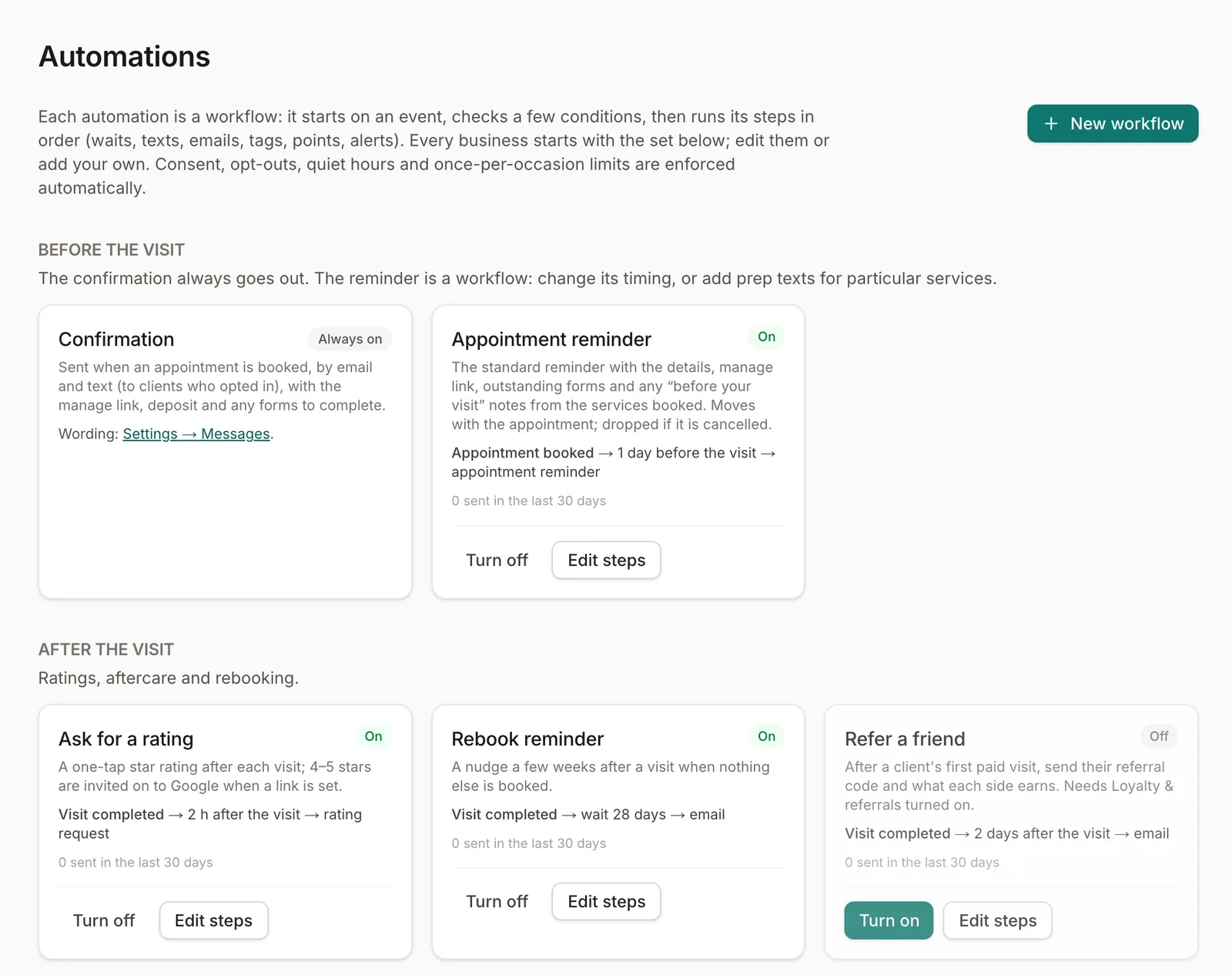
The pay sheet, done the way your accountant asked.
Payroll builds a period from closed sales, time-clock entries and adjustments. Set each person's pay rule once; changes take effect on a date and the history is kept.
- Pay models: commission, hourly, salary, hourly plus commission, salary plus commission, commission with an hourly base. Separate rates for services and products.
- Tips passed through, cash and card kept apart, with a card-tip fee on card tips only.
- Overtime weekly (1.5× over 40 hours) or daily California rules (over 8 and 12 hours, seventh day), with commission and bonuses counted in the regular rate.
- Pay schedule: weekly, every two weeks, twice a month or monthly, with the first week of your workweek shared with the calendar.
- Finalized means finalized: a finalized period keeps its figures. A ticket closed late or a refund made later books in the period it happened. Mark a period as paid with a check or batch reference.
- Commission rules: who absorbs discounts (provider, house or split), a share of no-show and late fees for the provider, and whether package sessions pay on the package price or the list price.
- The Excel workbook: a Summary tab with employee, position, 1099 or W-2, rate, hours, overtime, commission, wage, tips, card-tip fee, adjustments and net, with real formulas; one tab per person in a layout an accountant can read; a Quality Check tab listing anything left out and why; a per-location workbook; a CSV; and a W-2 file with just the hours and pay.
- Time clock in the app, or a kiosk: print a QR code per location, staff scan it and type their PIN. Edits are logged; a shift left open is closed at 14 hours and flagged.
- My pay: give a stylist a view of their own sheet and nothing else.
Angelic Booking produces the numbers; it does not file taxes or pay by direct deposit.
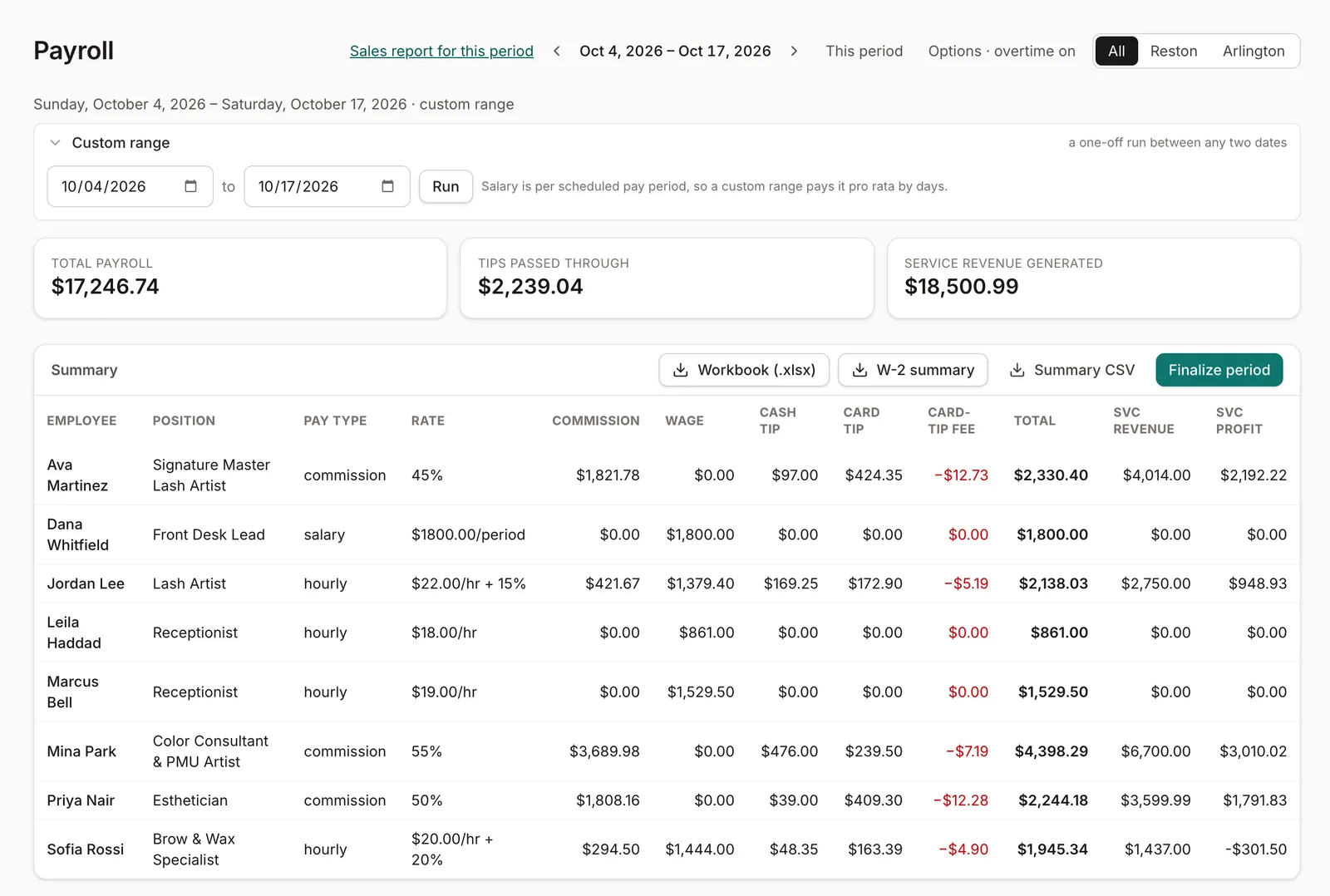
Numbers that say which date they use.
Sales count on the day they were paid, refunds on the day they were made, so a closed month never changes later. Every figure compares to the previous period.
- The summary: sales, tips (cash and card), discounts, tax, refunds, store credit issued, prepaid sold and prepaid used.
- By location and by staff: services, products, tips, refunds, and for those with payroll access, commission, hourly or salary, total pay and cost of revenue.
- By service category, with prepaid money on the usage basis: a package or membership session counts in the category of the service performed on the day it's used, next to the provider pay on those lines and the profit.
- Clients: new, returning, and of the clients whose usual gap ran out this period, how many came back within your window and how many didn't. "No visit in the last 90 days, as of today" lists who to call, biggest spenders first. The 90 days is yours to change, to match your usual gap between visits.
- Sales by payment method, cancellations by reason, refunds by reason and by item, referrals, memberships, stock value, and supplies cost per service and per stylist.
- Filters for location, service or category and any period, with CSV exports of every table.
Roles in plain words, down to the field.
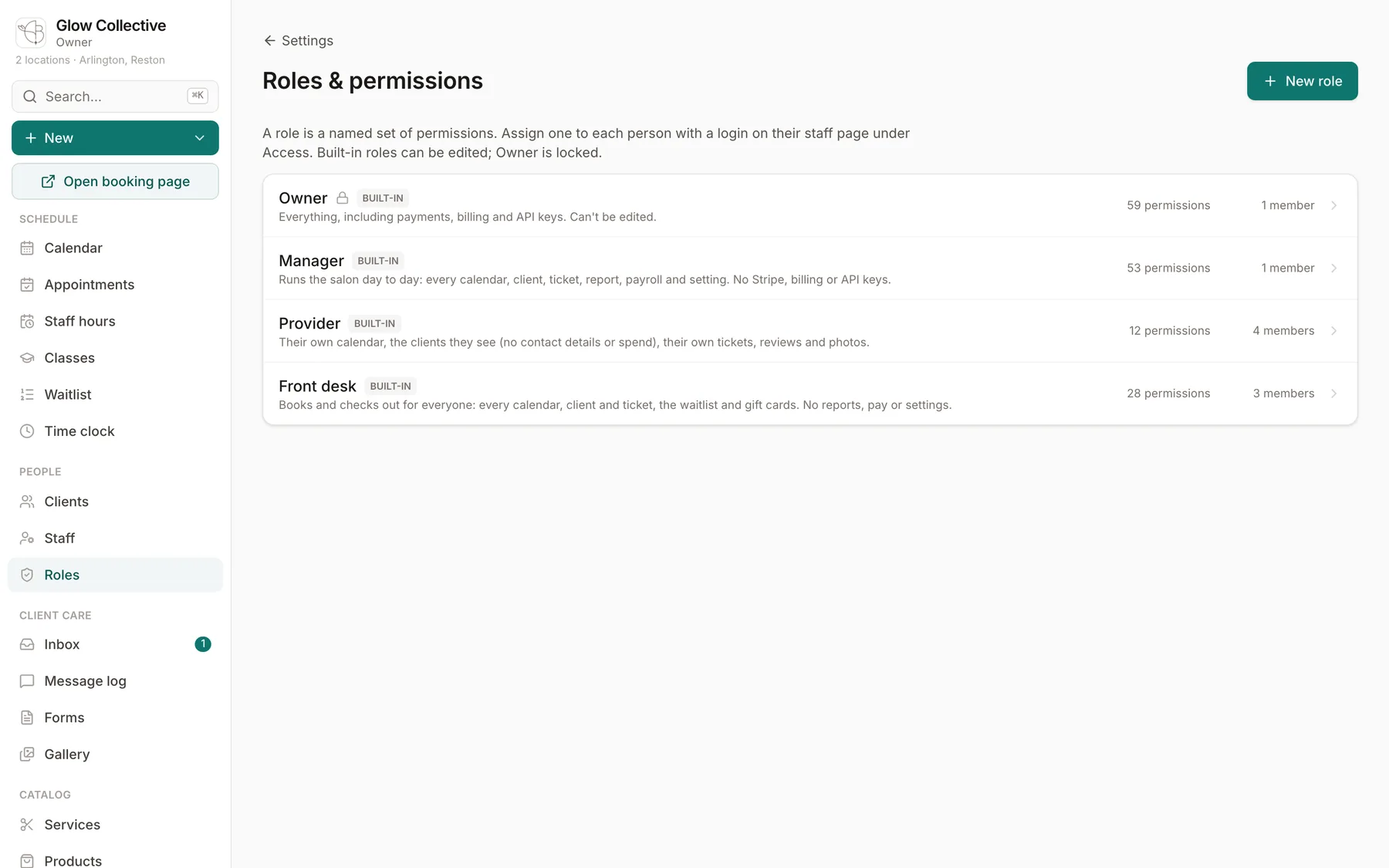
Owner, Manager, Provider and Front desk come built in. Edit them or make your own from 59 permissions, each described in a sentence.
- Own versus everyone: a provider can see only their own calendar, tickets, reviews and pay, or see colleagues' time as nameless "busy" blocks, or everything, your call per role.
- Client data is split: viewing a client, their contact details, what they spend, private notes, photos, texts and balances are separate permissions.
- Nobody can grant what they don't hold, nobody edits their own role, and role changes are in the activity log.
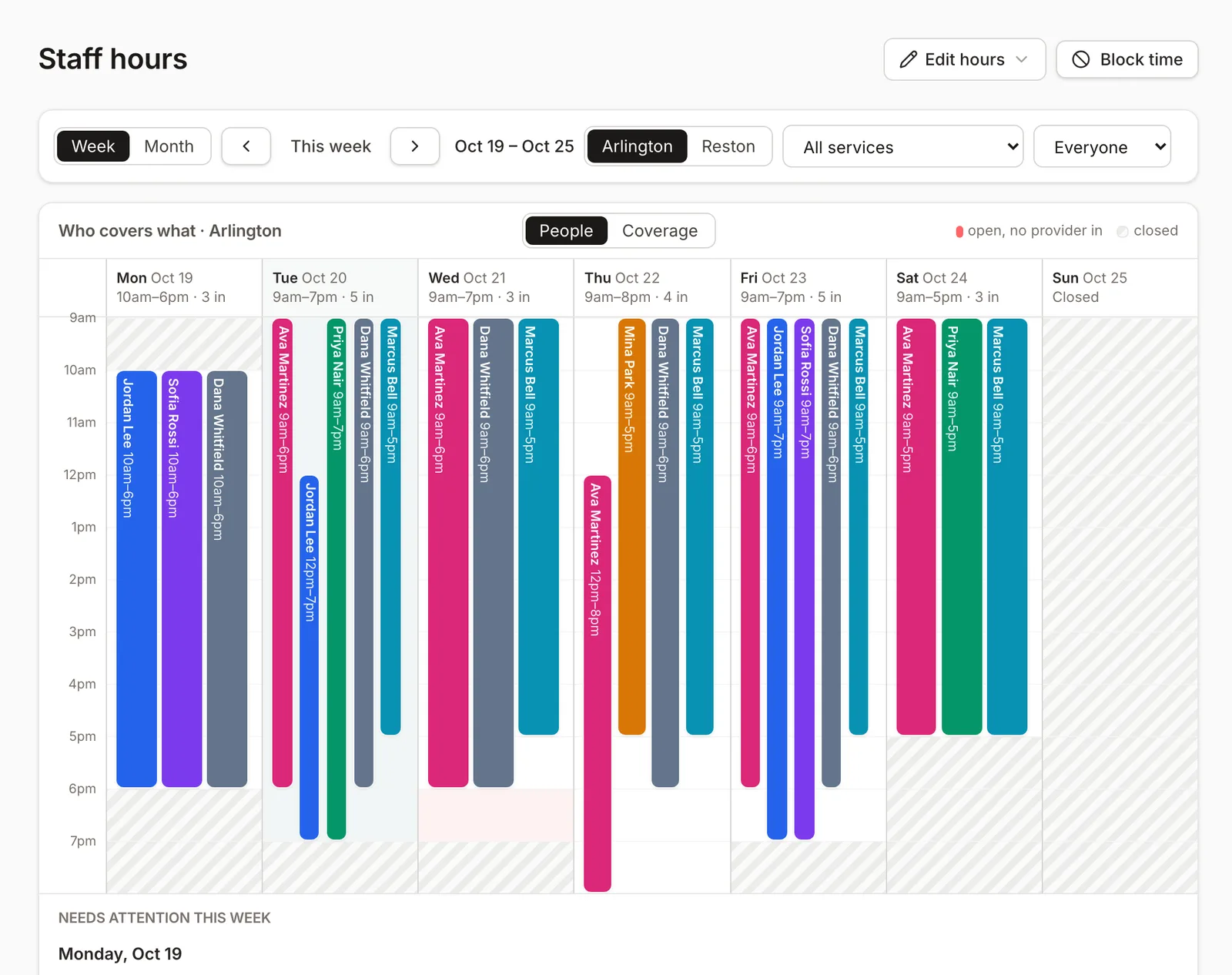
- Staff hours: a coverage grid for the week that shows who is in each hour and whether every service category is covered, a month view, a people filter, time off, rotating schedules every 1 to 4 weeks, split shifts, and different days per location.
- Each stylist's own prices and durations per service, a title, a short bio, work photos, a calendar color, and the order they appear in online. Support staff can be kept off the calendar.
- Self-service: let staff edit their own hours and services if you want. Invitations by email, sign in with Google or a password, and two-factor sign-in available on every login.
Stock per location, scanned not typed.
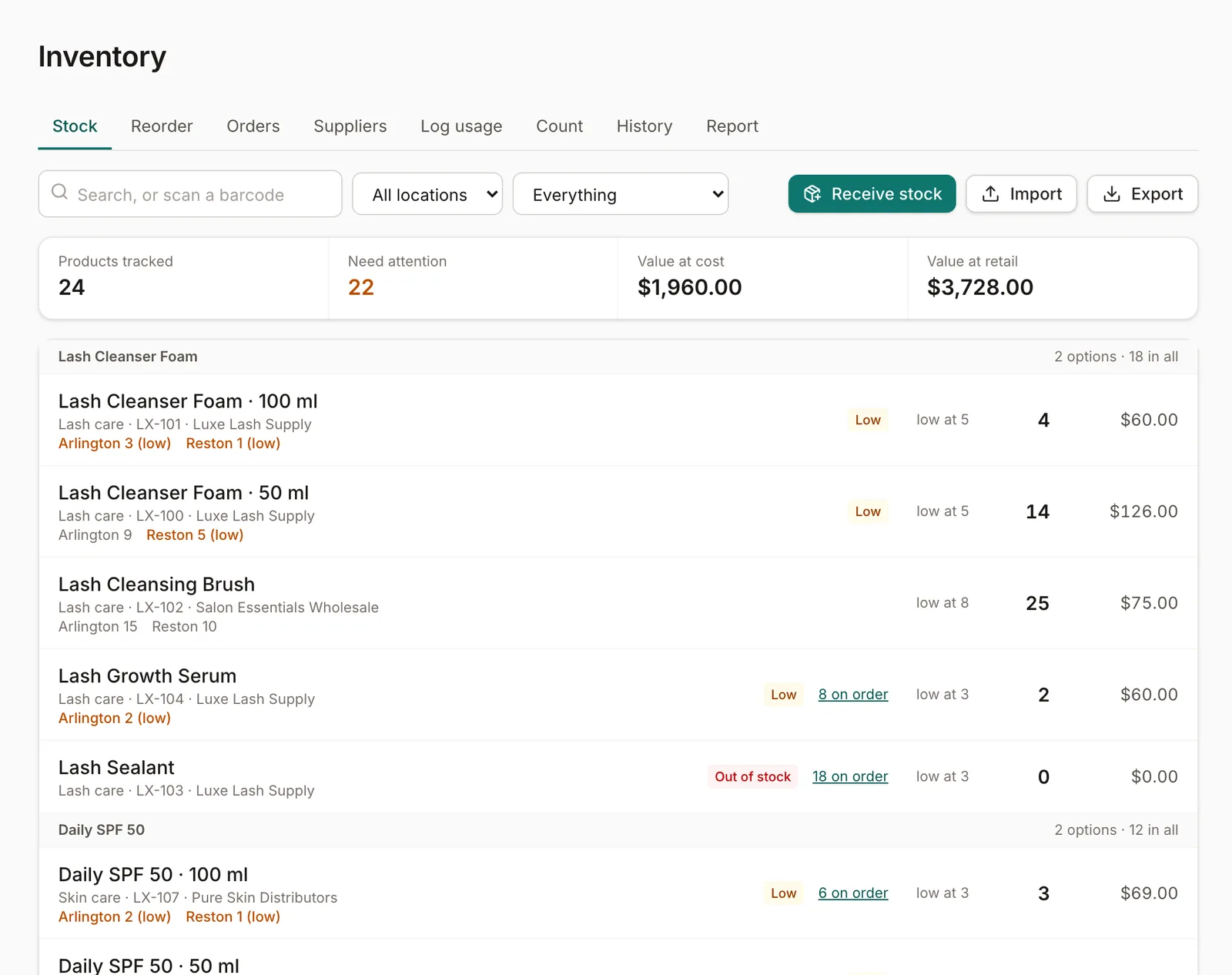
Retail and back-bar in one place. Everything that moves stock goes through one ledger, so the history always adds up.
- Scan with a USB or Bluetooth scanner or the phone's camera: to receive, to count, to log supplies, to ring up. Unknown barcodes can become a new product on the spot.
- Suppliers and purchase orders: reorder suggestions grouped by supplier, draft to ordered to received, email the order, scan the delivery, undo a wrong receipt.
- Counts, blind or open, correcting only the differences. Write-offs for damage, theft, expiry and loss. Transfers between locations.
- Product options (sizes and shades) under one product, with their own price, barcode and stock. Import products from a spreadsheet, or edit them all at once on one screen.
- Back-bar supplies logged per visit from a search box, so the report shows cost per service and per stylist.
- A daily low-stock email, stock value at cost and retail, and a full history with filters and CSV export.
One account. As many locations as you run.
Clients, gift cards, packages and memberships are shared. Each location has its own hours, address, phone, time zone, tax rate and, if you want, its own Stripe account and text number.
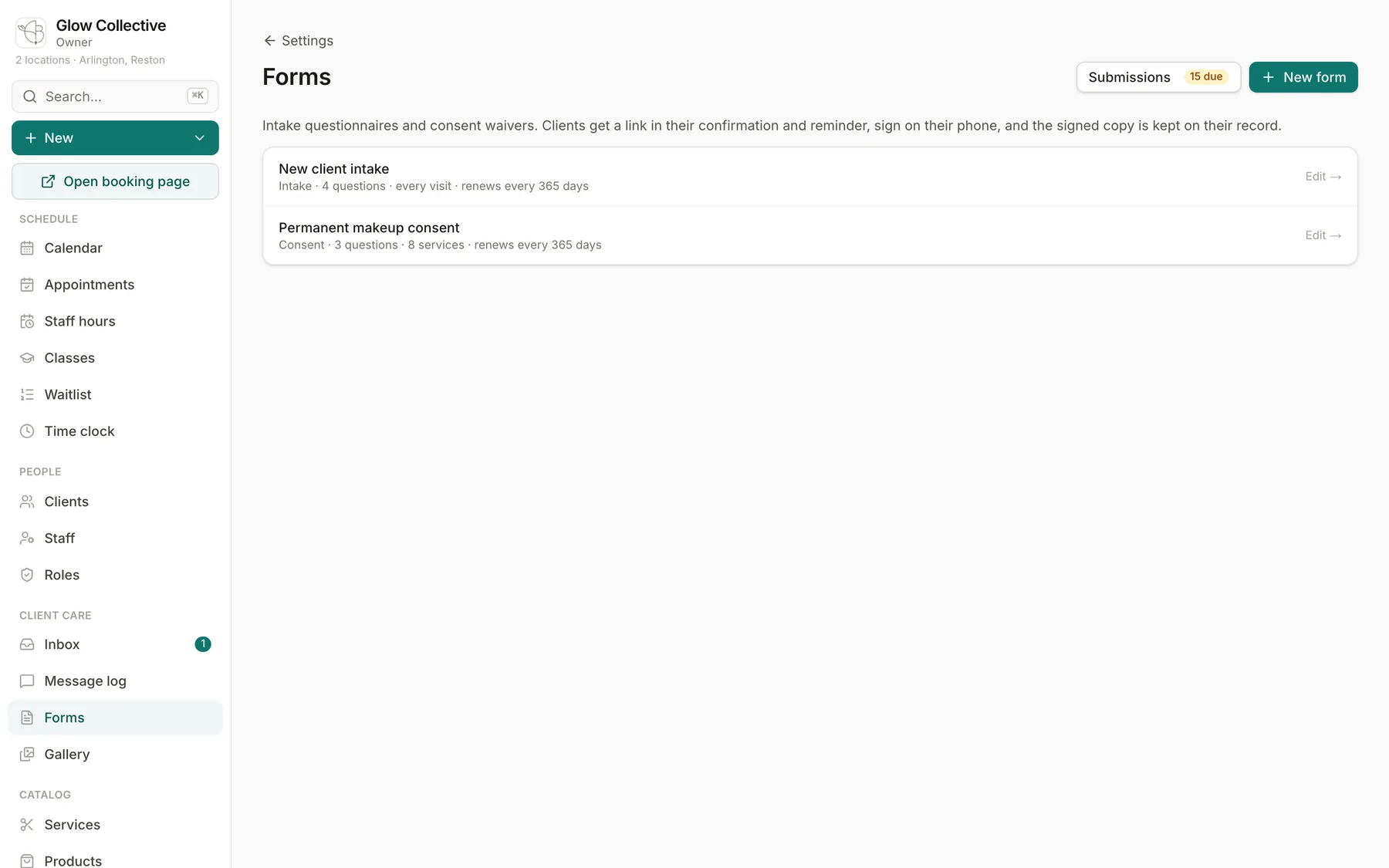
Intake, consent and waivers, signed on the phone.
Build a form once, attach it to a service or to every visit, and the link rides on the confirmation and the reminder. The signed copy lands on the client and the appointment.
- Templates to start from: intake, lash, permanent makeup, waxing, facial and peel, photo release, minor consent.
- Question types: text, number, yes or no, choose one or many, phone, email, date, photo or PDF upload, initials, section heading, agreement box, drawn signature.
- Conditional questions that appear only when an earlier answer matches, a live preview, and answers that save to the client's email, phone, birthday, notes or tags.
- Prefilled from the client's last answers, with "changed" markers for staff. Required only at the locations you choose.
- Chasing done for you: a morning-of nudge for anyone with a form still outstanding, a "forms due" marker on the calendar, and checkout that asks before letting a visit through without one.
- At the desk: complete a form on the salon's tablet, or share a link and QR code for walk-ins. Submissions inbox, print or save as PDF, CSV export.
Ask every client, once, the right way.
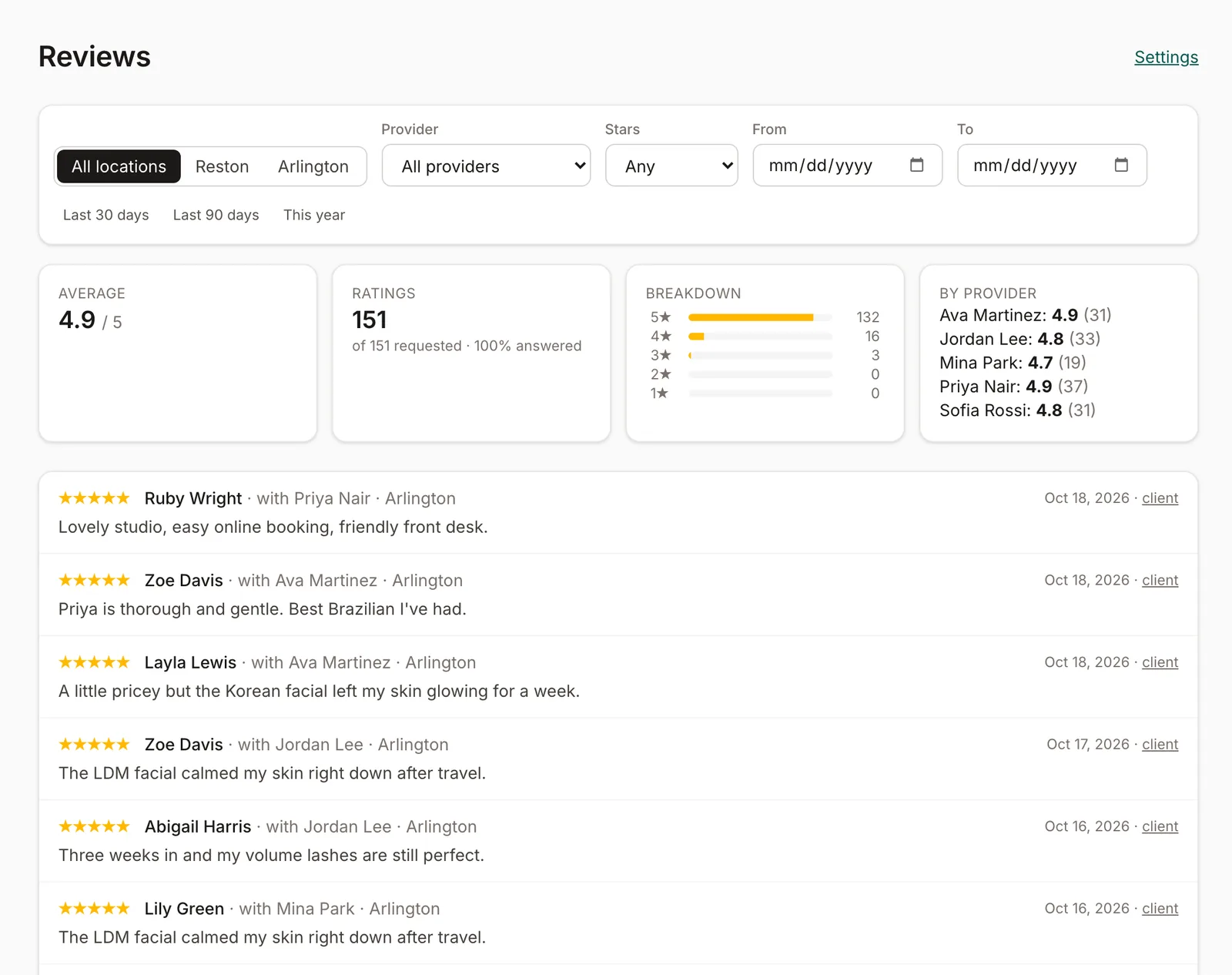
After a visit is checked out, the client gets a one-tap rating request by email, or by text if they have no email. Ratings land on the Reviews page, on the client and on the appointment.
- Google review invite after every rating, if you add your Google link. Offered to everyone, not only happy clients, which is what Google's rules and the FTC ask for.
- Filters by location, provider and period, with a star breakdown, answer rate and per-provider averages.
- Low-rating alert automation so the owner hears first. Ratings show on each provider's booking-page card.
Regulars earn points. Friends bring friends.
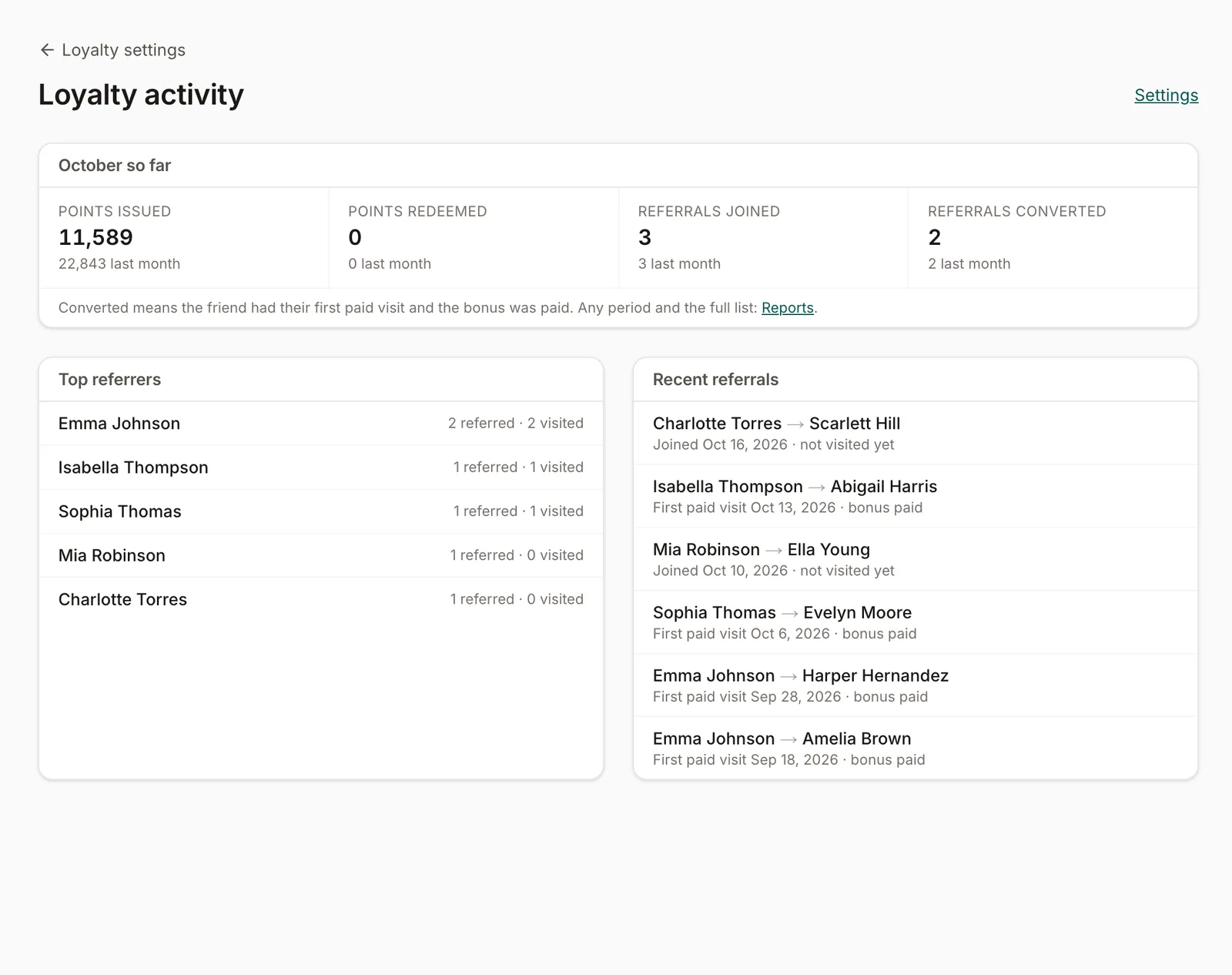
A points program and a referral program, both built in and both running on their own once you switch them on.
- Points per dollar on services and products, a bonus per visit if you like, and a minimum before points can be redeemed at checkout.
- Balances everywhere: on the client page with the full history, and in the client's online account. Staff can adjust points by hand.
- A referral code for every client, shown on their page and in their account. Staff text or email it in one tap, and the Refer a friend automation sends it after a first paid visit.
- Bonuses for both sides: the referrer and the new client each get points once the friend's first visit is paid.
- Loyalty activity: points issued and redeemed, referrals joined and converted, top referrers, and who they brought in.
Marketing campaigns
One-off emails or texts to a filtered list: last visit, service, staff, usual location, tags. Every email carries an unsubscribe link and texts say how to stop. Marketing consent is separate from appointment texts, campaign texts wait for daytime, and the business's postal address goes on every marketing email. Promo codes with a percent or amount off, expiry, use limits and service restrictions, valid online and at the desk.
API for developers
A REST API with an OpenAPI 3.1 file, so your website, a spreadsheet, Zapier or an internal tool can read and manage your business. Keys belong to one business and carry exact scopes (50 of them), an IP allow list and their own rate limit. Covers services, staff, availability, clients, appointments, sales, products, inventory, forms, marketing and messages. Outgoing webhooks are not available yet. Read the API docs.
Security
Every business's rows are isolated by row-level security in the database itself, not only in the app, and a test fails if any table is missing it. An activity log records settings changes, role changes, refunds, payroll runs and exports with who and when. Two-factor sign-in with an authenticator app and backup codes. Client photos and signed forms are private files. Public forms have a bot check and rate limits. Daily backups with point-in-time recovery.
Your app, your colors New
Pick the app's color from presets, your booking brand color or any color you like; it previews live, saves with Undo, and refuses colors too light to read. The sidebar shows your salon's logo and name and each person's role. Settings → Billing shows what you'll pay this month line by line, your invoices and your card.
Help and support
A plain-language help page inside the app, a setup checklist on the calendar for new businesses, and a person who runs a salon on the same software reading the support inbox. Email tunityventure@gmail.com.
Data in, data out
Import clients, services, appointments and products yourself from CSV or Excel. Export clients, appointments, every report table, form submissions, product lists and stock history as CSV. Your data stays yours; there is no contract.
All of it, from $15 a month.
No tiers, no add-ons. Start a 30-day trial without a card and see it on your own calendar.