
Everything salon software usually charges extra for. Included.
Online booking, a calendar the front desk likes, checkout, payroll, forms, automations and a texting inbox, in one $15 plan. Card payments land in your own Stripe account with no platform fee.
No card to start. No contract. Bring your client list and run both systems side by side.
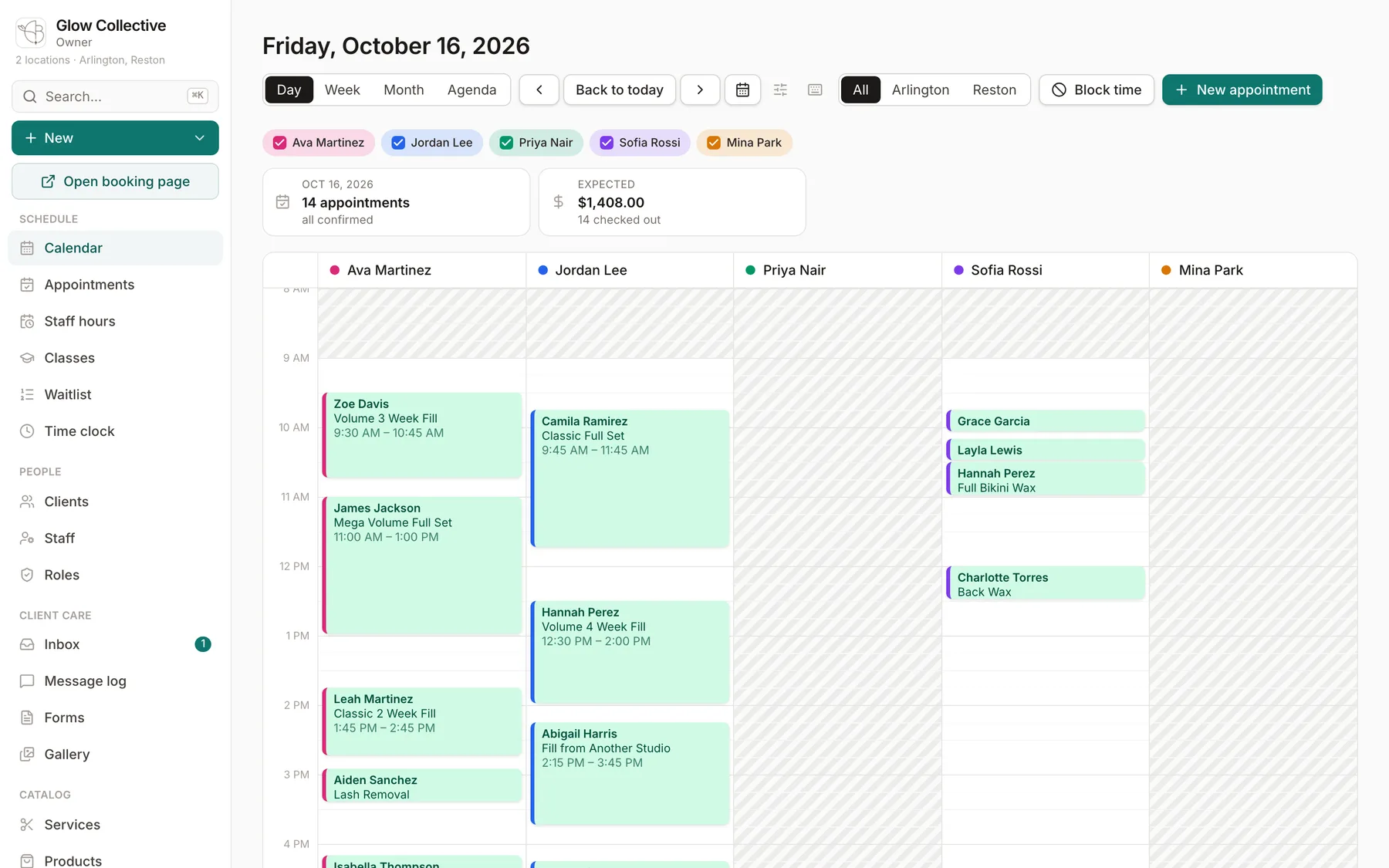
Built from a salon's daily list, not a feature matrix.
The owner ran a lash and skin studio for years. Every screen here answers something the front desk, a stylist or the accountant asked for.
Online booking
Your own booking page or embed, deposits and card on file, waitlist, classes, standing appointments, photos on booking, client accounts, gift cards and a store.
Calendar
Day, week, month and agenda. Drag to move, quick create, keyboard shortcuts, color by provider or category, linked multi-provider visits.
Clients and texting
Notes, lash maps, before and after photos, signed forms, balances, and a two-way texting inbox on your own dedicated number.
Checkout and payments
Stripe in your own account, tips, discounts, itemized refunds, no-show fees, packages, memberships with auto-renew, gift cards.
Automations
Reminders, confirmations, review requests, rebook nudges, win-back, birthday and no-show follow-up, with consent and quiet-hour guardrails built in.
Payroll
Commission, hourly, salary and mixes, card-tip fee, overtime, finalized periods, mark as paid, and the Excel workbook your accountant wants.
Reports
Sales by location, staff and category, prepaid money on the usage basis, new and returning clients, who came back within your usual gap, who to call.
Staff and permissions
Roles with 59 plain-language permissions, time clock with a QR kiosk and PIN, staff hours and coverage, time off, rotating schedules.
Inventory
Stock per location, barcode and camera scanning, suppliers and purchase orders, counts, back-bar supplies logged per visit.
The tools other software sells as add-ons.
Real screens from the app, on a demo salon with made-up clients. All of it is in the $15 plan.
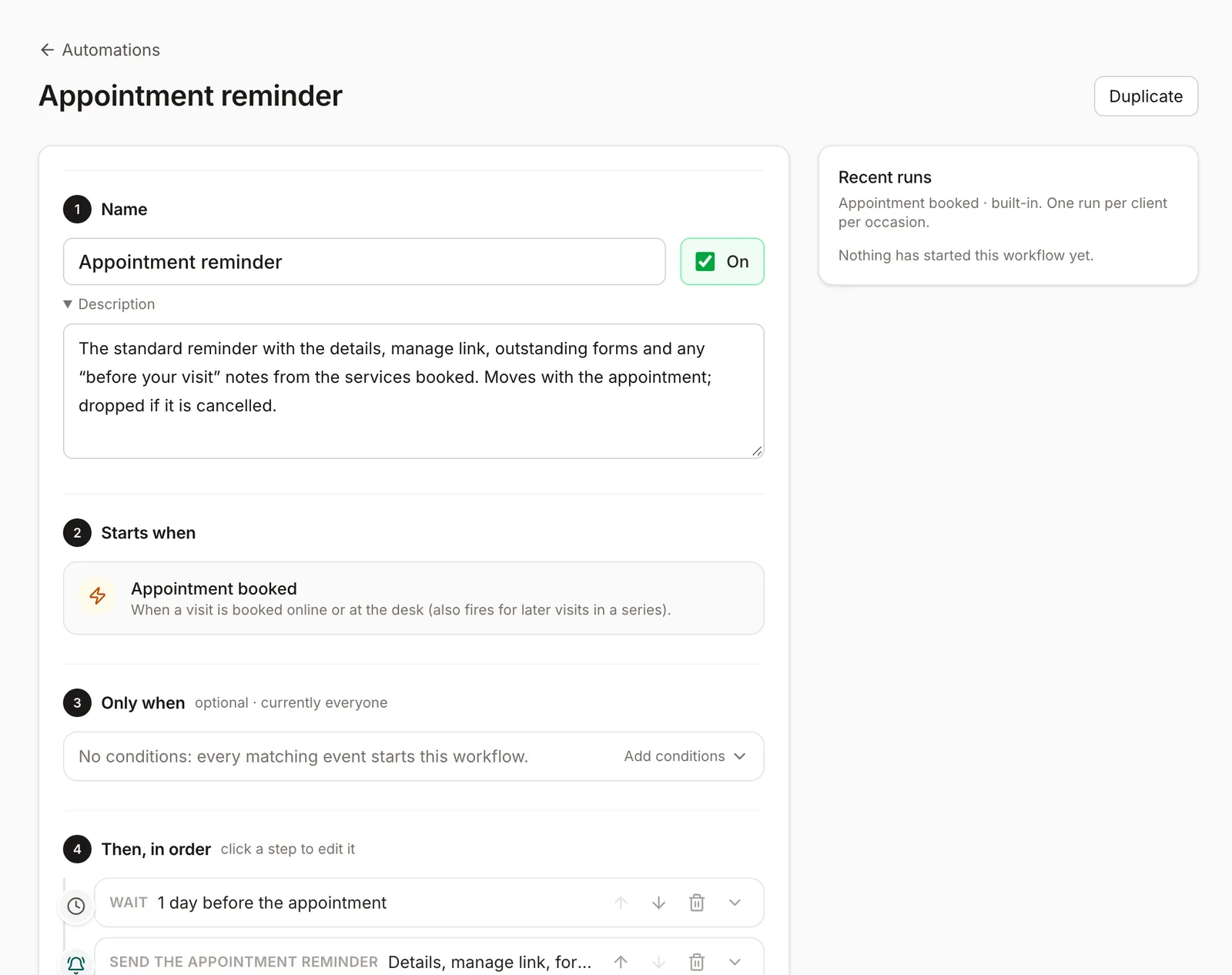
Messages that run themselves.
Reminders, rebook nudges, win-back, birthday wishes, review requests and refer-a-friend are ready on day one. Change the timing and wording, or build your own.
- Trigger, conditions, steps: booked, completed, no-show, birthday, no visit for 60 days, and more; then wait, text, email, tag, award points or alert the owner
- Guardrails built in: the right consent for every message, marketing texts only 9 am to 8 pm, STOP honored instantly
- Re-timed when a visit moves, dropped when it's cancelled, and a run log that says what each step did
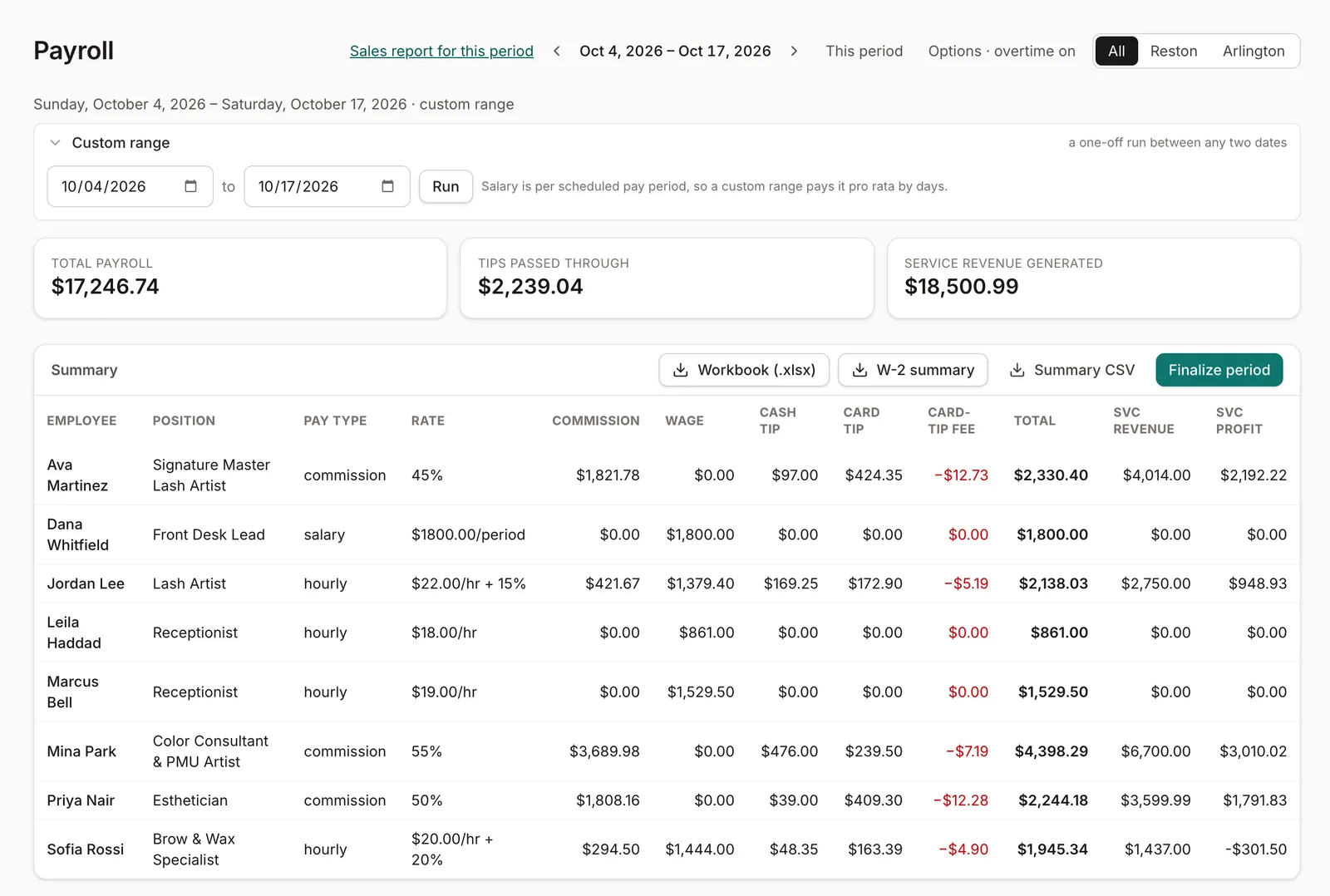
Payroll your accountant won't redo.
Commission, hourly, salary or a mix per person, built from closed sales and the time clock. Finalize a period and it stays put.
- Every pay model: commission, hourly plus commission, salary plus commission, separate service and product rates
- Card-tip fee and overtime, weekly or California daily, with refunds taken back from whoever was credited
- One-click Excel workbook with a Summary tab, a tab per person and a W-2 file, then mark the period paid
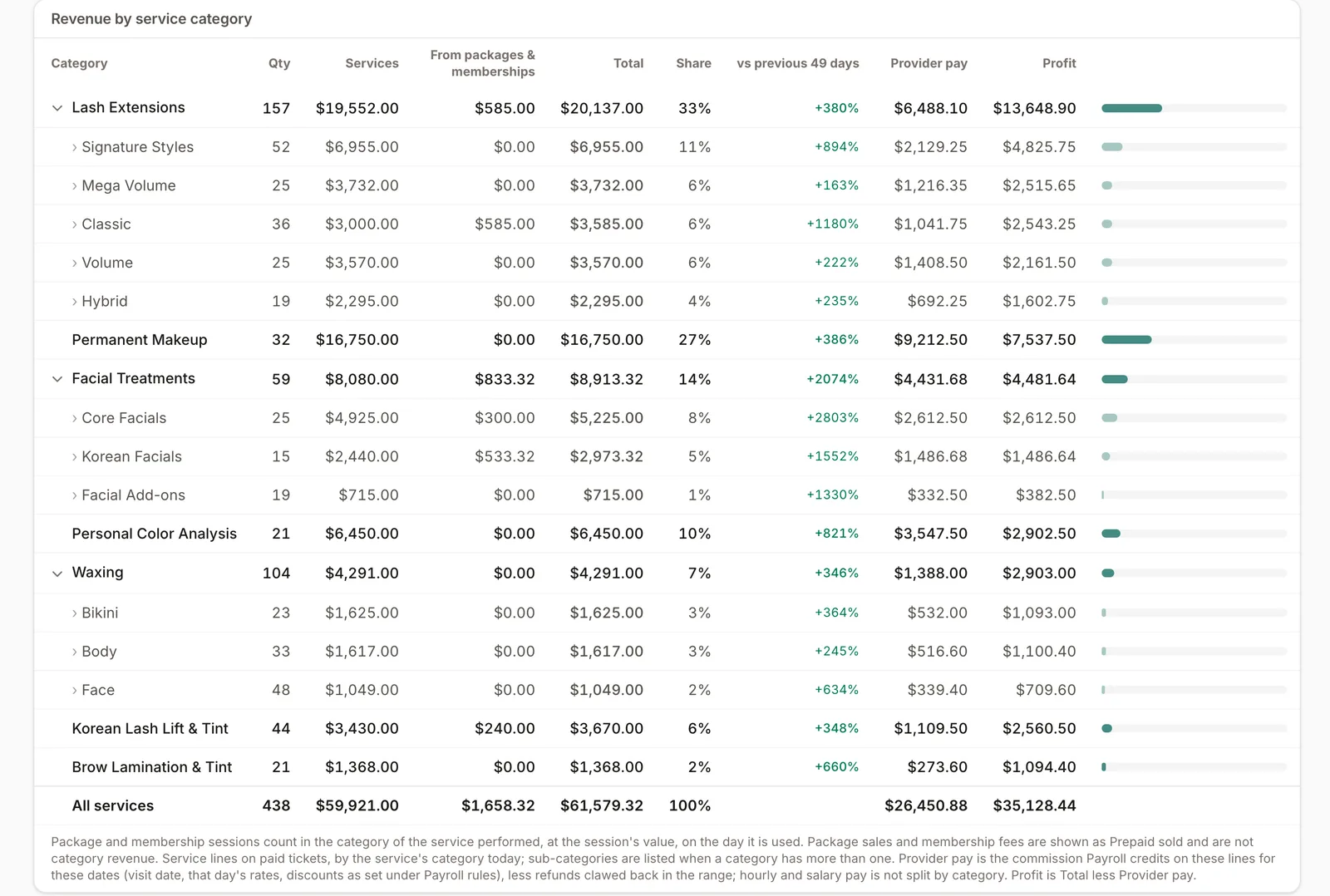
Know what each service really earns.
Revenue by service category with the provider pay on those lines and the profit left, compared with the previous period.
- By location, staff and category, with packages and memberships counted on the day a session is used
- Who came back and who didn't: new and returning clients, and a list of who to call, biggest spenders first
- Every table exports to CSV, and every figure says which date it counts on
Turn regulars into your marketing.
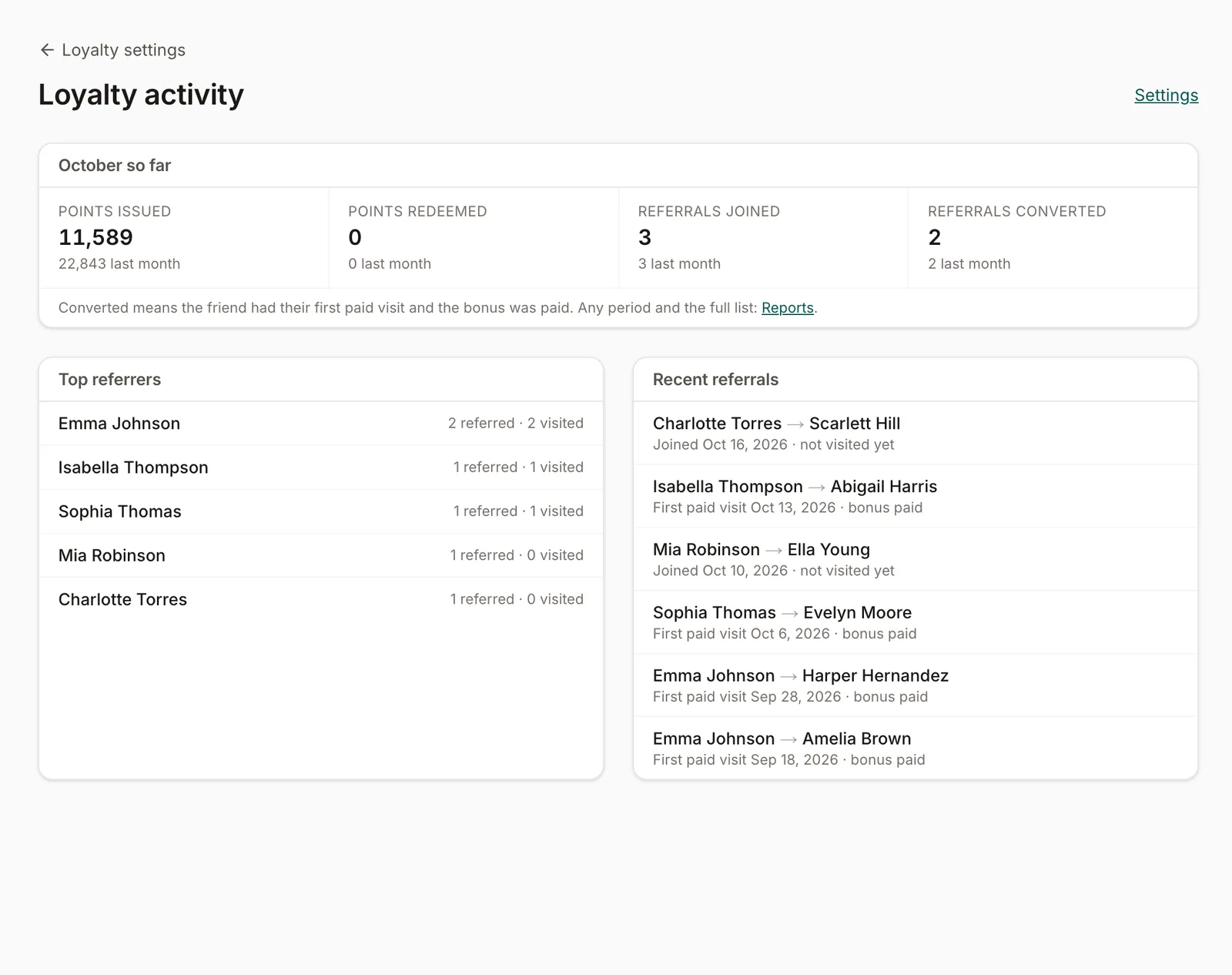
Clients earn points on every paid visit and redeem them at checkout. Every client gets a referral code, and both sides get a bonus when the friend comes in.
- Points per dollar with a minimum to redeem, shown on the client page and in their online account
- Referral codes staff can text or email in one tap; bonus points once the friend's first visit is paid
- See it working: points issued and redeemed, top referrers and who they brought in
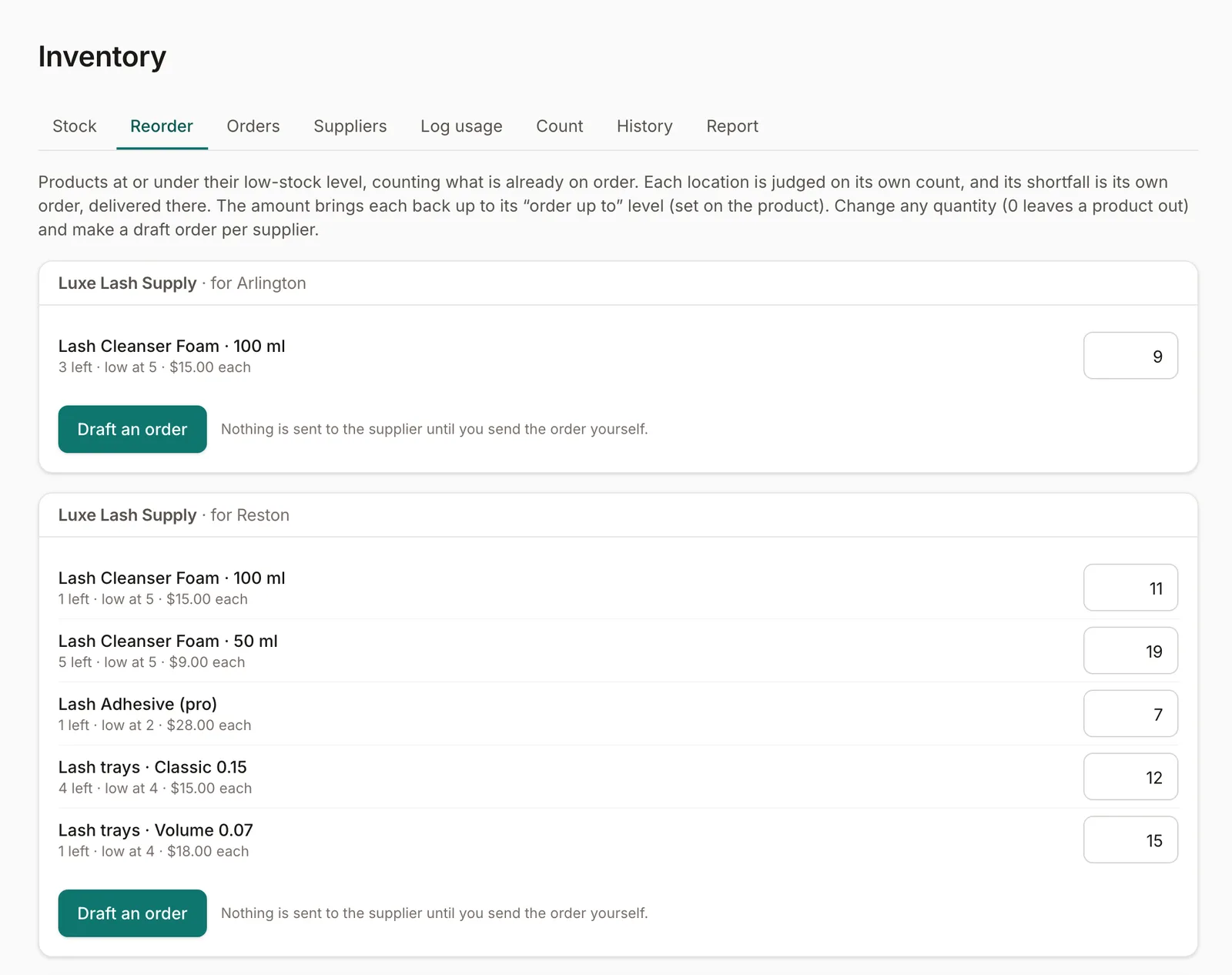
Know what's running low before you run out.
Stock per location, scanned not typed. When something runs low, reorder suggestions are grouped by supplier and become a purchase order in one click.
- Scan with a barcode scanner or the phone's camera to receive, count and ring up
- Purchase orders from draft to received, with partial deliveries and an undo
- Back-bar supplies logged per visit, so you see product cost per service and per stylist
Ask every client, once, the right way.
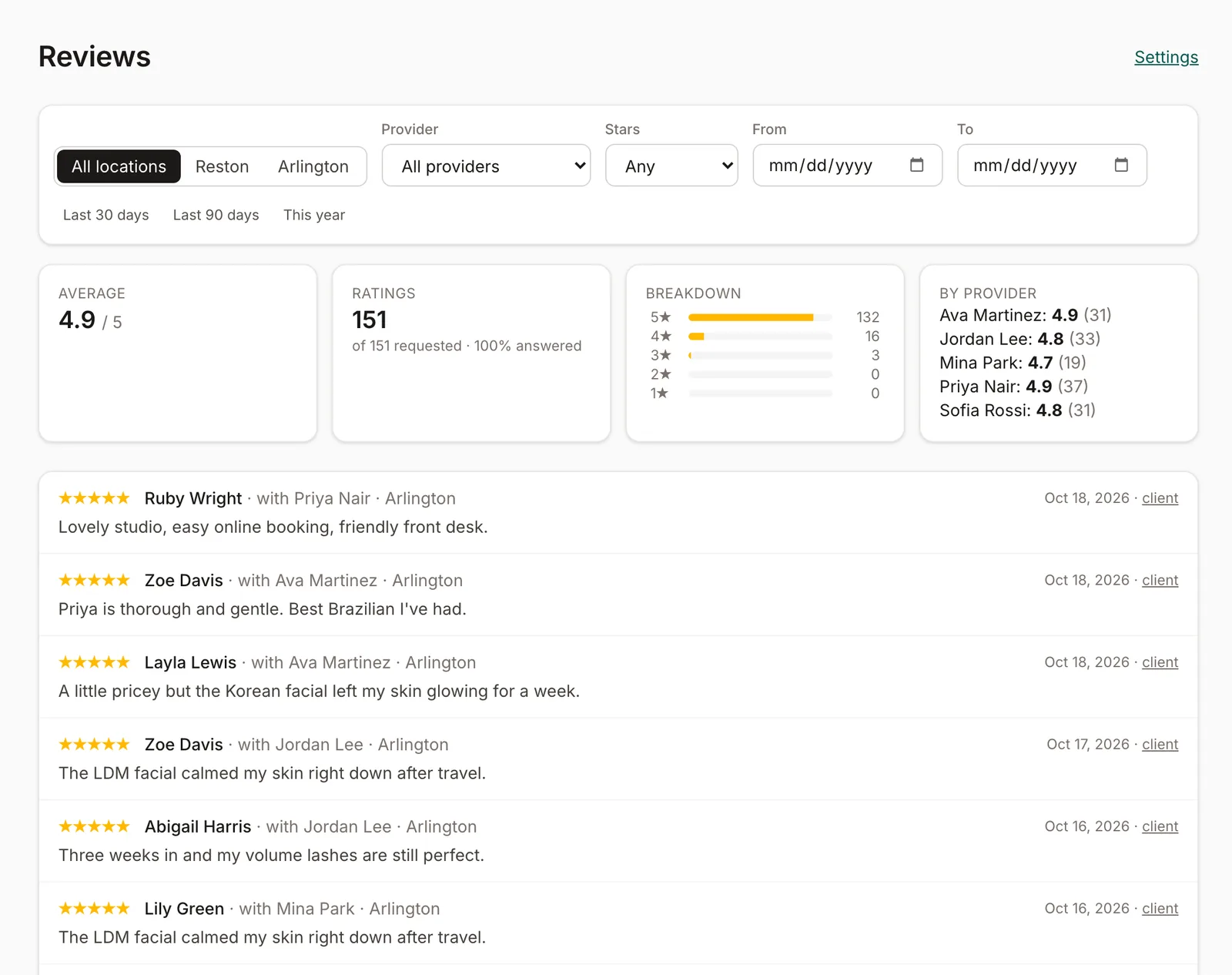
A one-tap rating request goes out after checkout. Ratings land on the client, the appointment and each provider's booking-page card.
- Google review invite after every rating, offered to everyone, as Google's rules ask
- Per-provider averages, a star breakdown and filters by location, provider and date
- Low-rating alert so you hear about a bad visit before anyone else does
Every detail about a client, on one page.
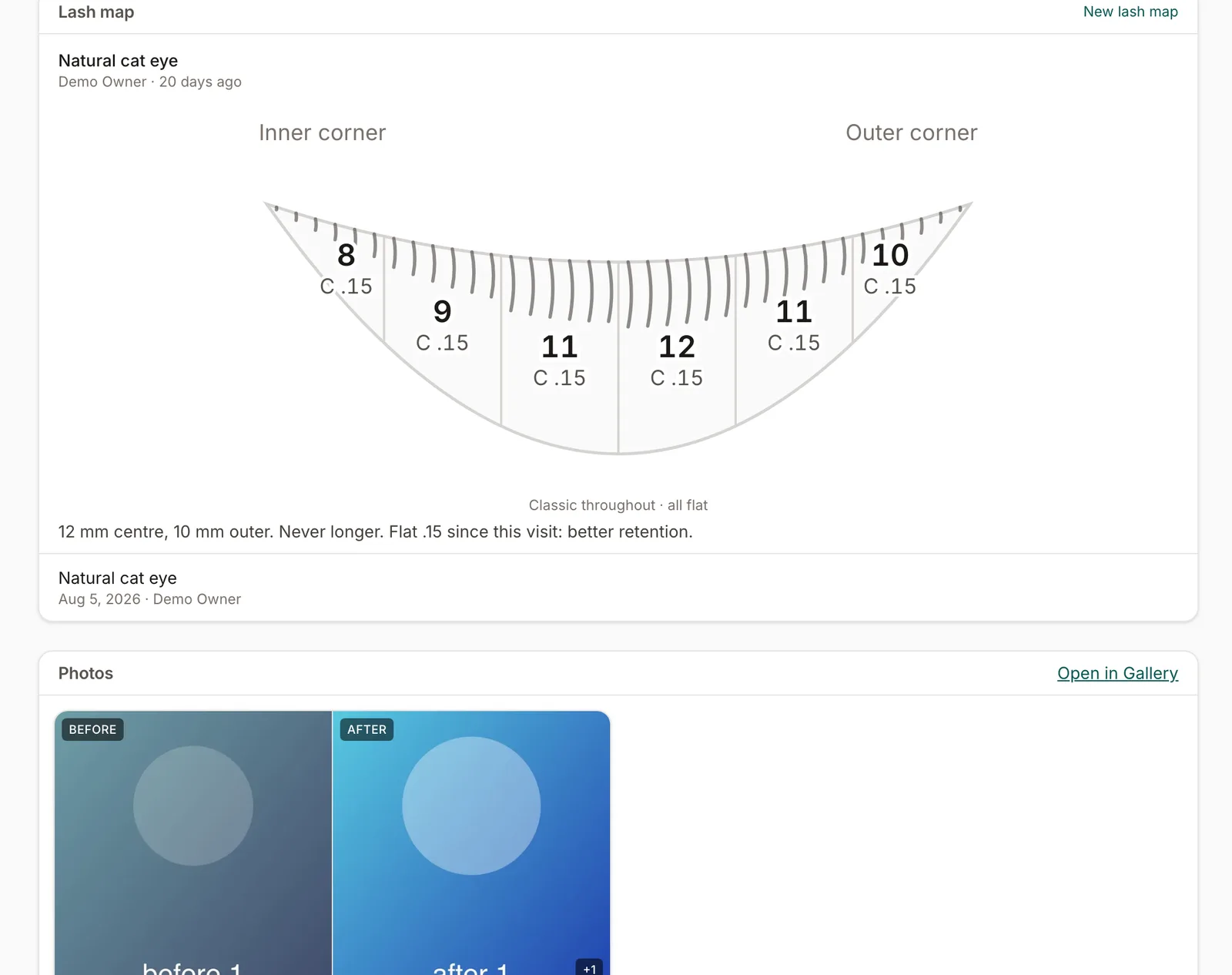
Notes and formulas, lash maps, before and after photos, signed forms, points and their referral code, without opening another screen.
- Lash maps by zone with length, curl and thickness, a new map each visit built from the last one
- Before and after photos on every visit, and a Gallery you can filter by service, stylist and tag
- Private notes and contact details shown only to the roles you choose
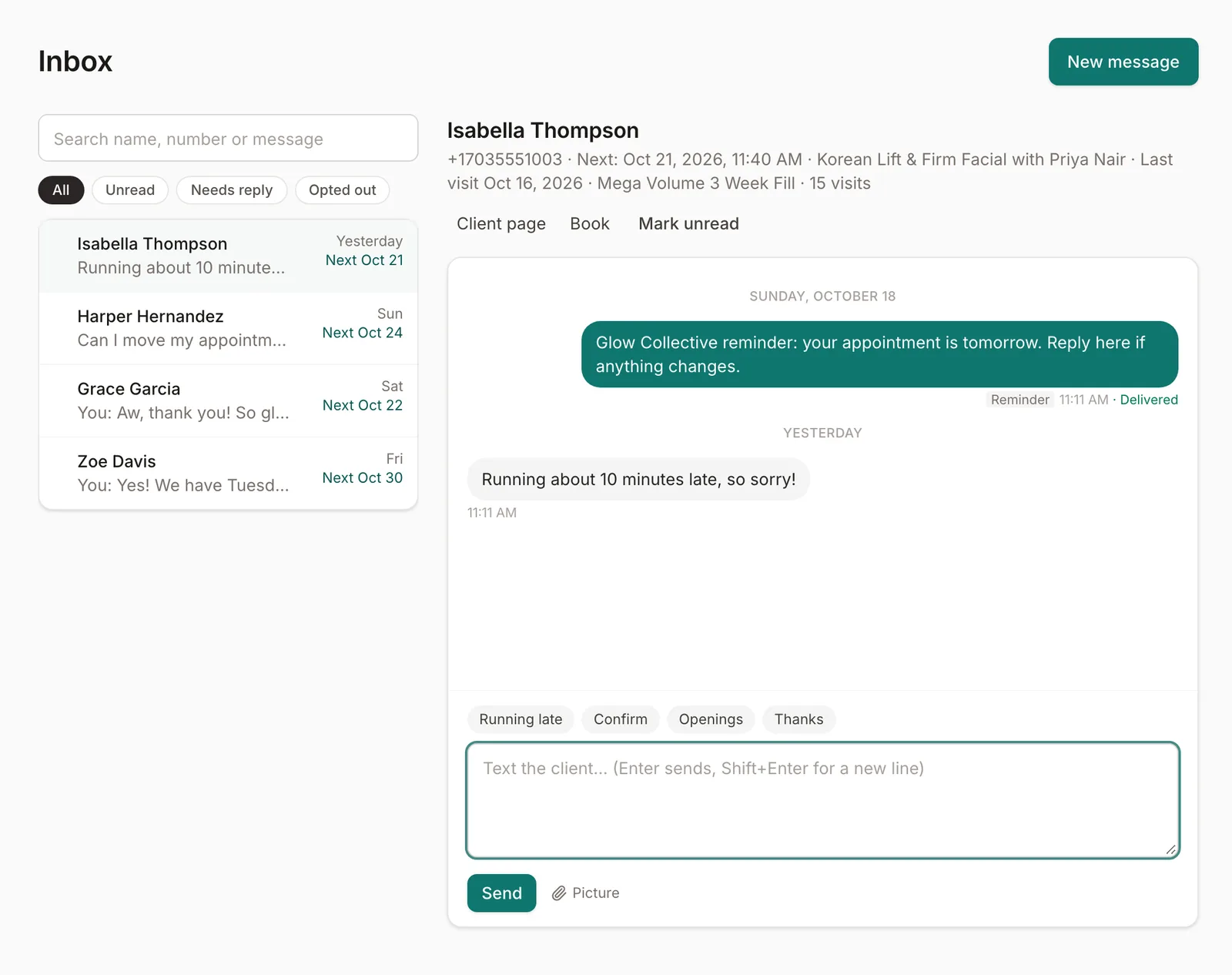
Every text with every client, in one inbox.
A dedicated number for your salon. Reminders go out from it, and replies land in a shared inbox the whole desk can answer.
- The client's next visit beside every thread, with Book and Client page one click away
- Quick replies for running late, confirmations and openings, plus picture texts
- Delivery status in plain words, and STOP and START handled for you
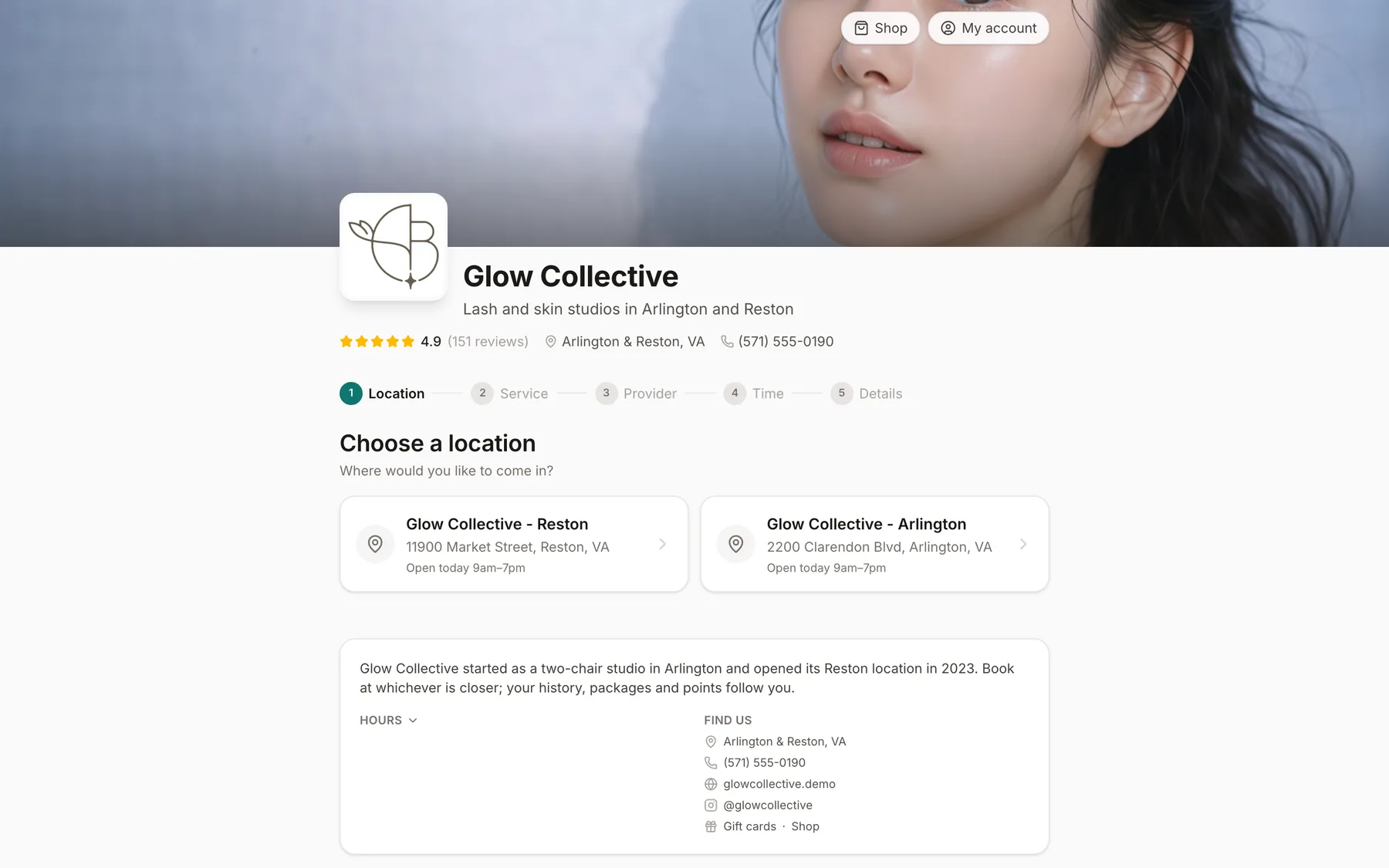
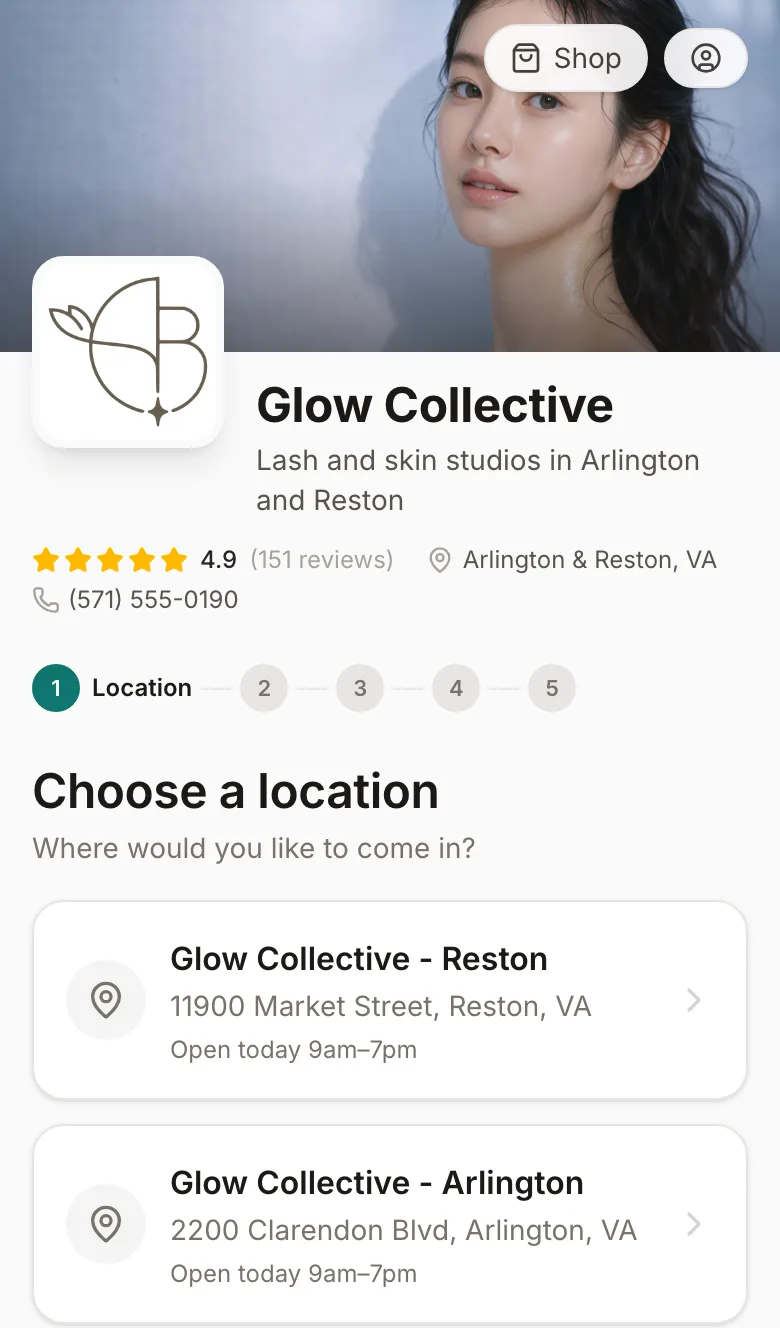
A booking page clients finish on their phone.
Location, service, provider, time, details. Deposits and your cancellation policy are shown before a time is picked, so there are no surprises at the desk.
- Provider cards with photo, title, rating, next opening and their own price
- Deposit, percent or full payment at booking; card on file without charging
- Waitlist on full days, classes with seats, standing appointments
- Clients can attach photos of the look they want
- Embed on your own site, or point your own domain at it
Bring everything. Run both until you're sure.
Your clients, appointments (including upcoming ones), services, staff and their hours, products with stock, packages, memberships, gift cards and promo codes come with you.
Export from your current software
Download your client list, services and appointments. Clients, services and appointments upload yourself as CSV or Excel under Settings → Import, with a column map and a preview before anything is written.
We load the rest during your trial
Send us the full export and we import staff and hours, packages and the sessions clients still have, membership plans and live memberships, gift card balances, products and stock, and promo codes.
Run both for a week or two
Keep your old system open while the desk gets used to the calendar. Nothing texts or emails your clients until you turn it on.
Switch the booking link
Put the new link on Instagram and Google, or point your own domain at your booking page. Cancel the old software when you're ready; there is no contract on this side.
What does not move: saved card details (they belong to your old processor; clients re-add a card on their next visit), photos, signed forms and reviews stored in your old system, and marketing text consent (clients opt in again on their first booking or at the desk). The full switching guide.
Angelic Booking came out of running a lash and skin studio and paying for add-on after add-on to get the basics. It was built to be the tool that salon wanted: one plan, your own Stripe account, and payroll the accountant doesn't have to redo.The owner still runs that salon on Angelic Booking every day.
$15 a month. Then $10 per extra staff member.
One location and one active staff member are included. Add $29 for each extra location and $15 for a dedicated text number if you want one. That's the whole price list.
Try it on a real week.
30 days free, no card to start. Import your clients and see your own calendar in it.